

Settings that LaserCat is still testing on live trading carry a Test badge. Its tooltip says: “We’re still testing this setting on live trading. It works; if anything looks off, tell the LaserCat team.”
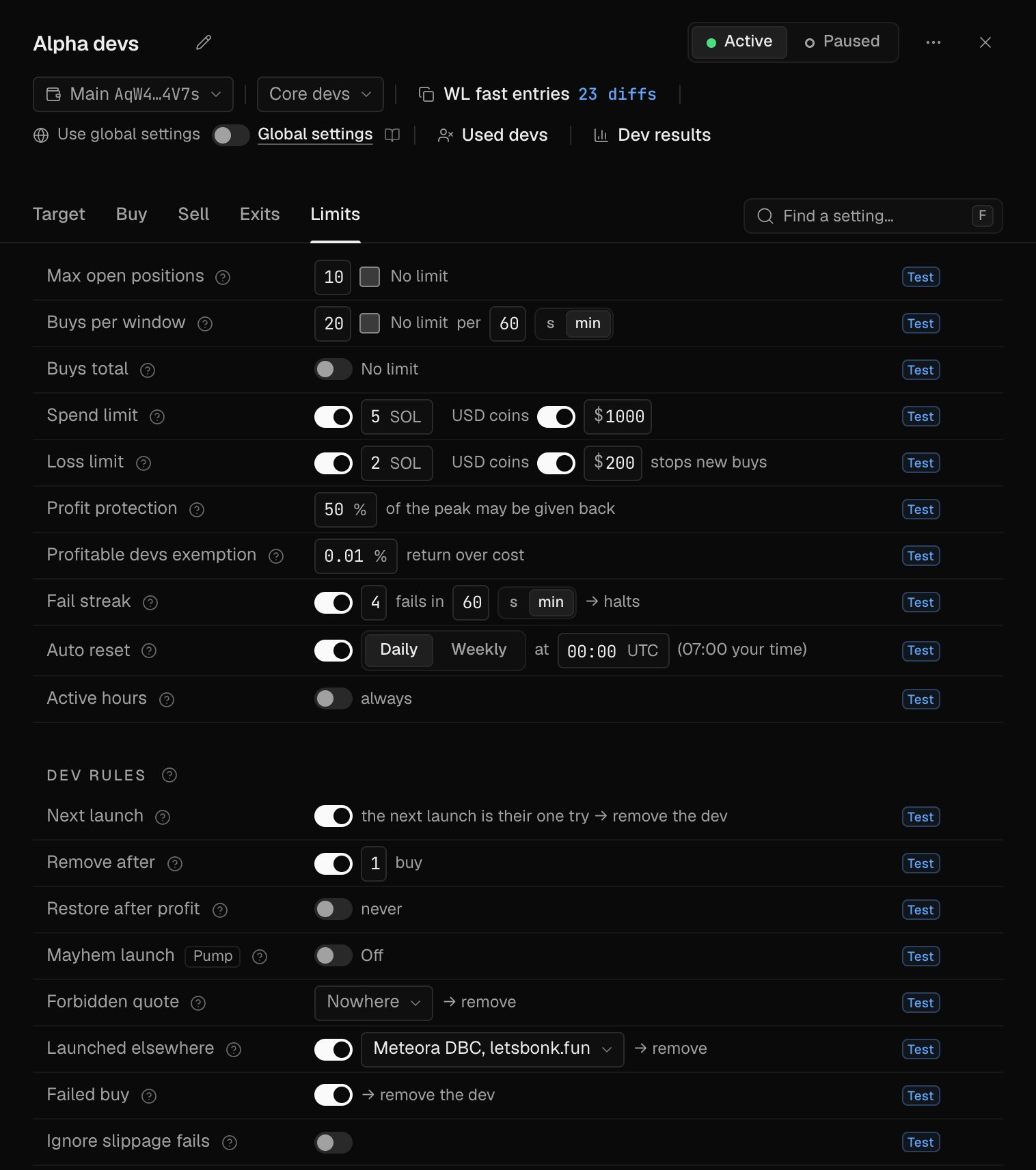
Limits
Max open positions
A soft limit the engine checks; it clears as positions close. Set a number, or tick No limit (∞).Buys per window
A rolling window over the buys the engine has seen. Soft. Set a number “per” Window (a duration), or tick No limit. The window is at least 1 s.Buys total
Confirmed buys in the limit window; reaching it halts the job until Resume job or Reset limits. On, the row reads “buys → halts the job”. Off: No limit.Spend limit
Stops new buys once this much is spent in the window: SOL coins in SOL, USD coins in $. Fees are not counted. Each currency has its own switch: Spend limit, SOL and Spend limit, USD coins. Off: No limit.Loss limit
Stops new buys when realized losses reach this. A USD-only job still stops at the SOL loss limit: fees are SOL. Reset limits clears it. Each currency has its own switch: Loss limit, SOL and Loss limit, USD coins. With one on, the row reads “stops new buys”. Off: No limit.Profit protection
Raises the loss floor as profit grows: at most this share of the peak may be given back (“of the peak may be given back”). It works only with a loss limit; without one, the row reads “only with a loss limit”. 50% by default.Profitable devs exemption
While the loss limit (with its profit protection) stops new buys, a dev is still bought if their last closed position in this job (sold out, or down to its moonbag) made a realized PnL of at least this % of its cost. A position closed over 30 days ago doesn’t count. Only the loss limit is skipped: every other limit and filter still applies. Set a share (“return over cost”), or leave it empty: none. 0.01% by default: any profit.Fail streak
Halts new buys after this many failed buys. Resume job clears it. On, set Failed buys “fails in” a time (Within) ”→ halts”. At least 1 failed buy, and a window of at least 1 s.Auto reset
Space Admin only.
- Every: Daily or Weekly; weekly adds a Weekday.
- “at” Reset time, UTC, with your own time beside it, for example “(09:00 your time)”.
Active hours
Space Admin only.
- From, UTC and To, UTC, each with your own time beside it.
- Days: Every day, or the days you tick (Mon to Sun). Keep at least one day: with none ticked the row reads No day, and the job could never be active.