

Space Admin only. Other roles don’t see the page in the sidebar.
Job states
One row per job. All jobs and Needs attention, each with its count, switch which jobs show.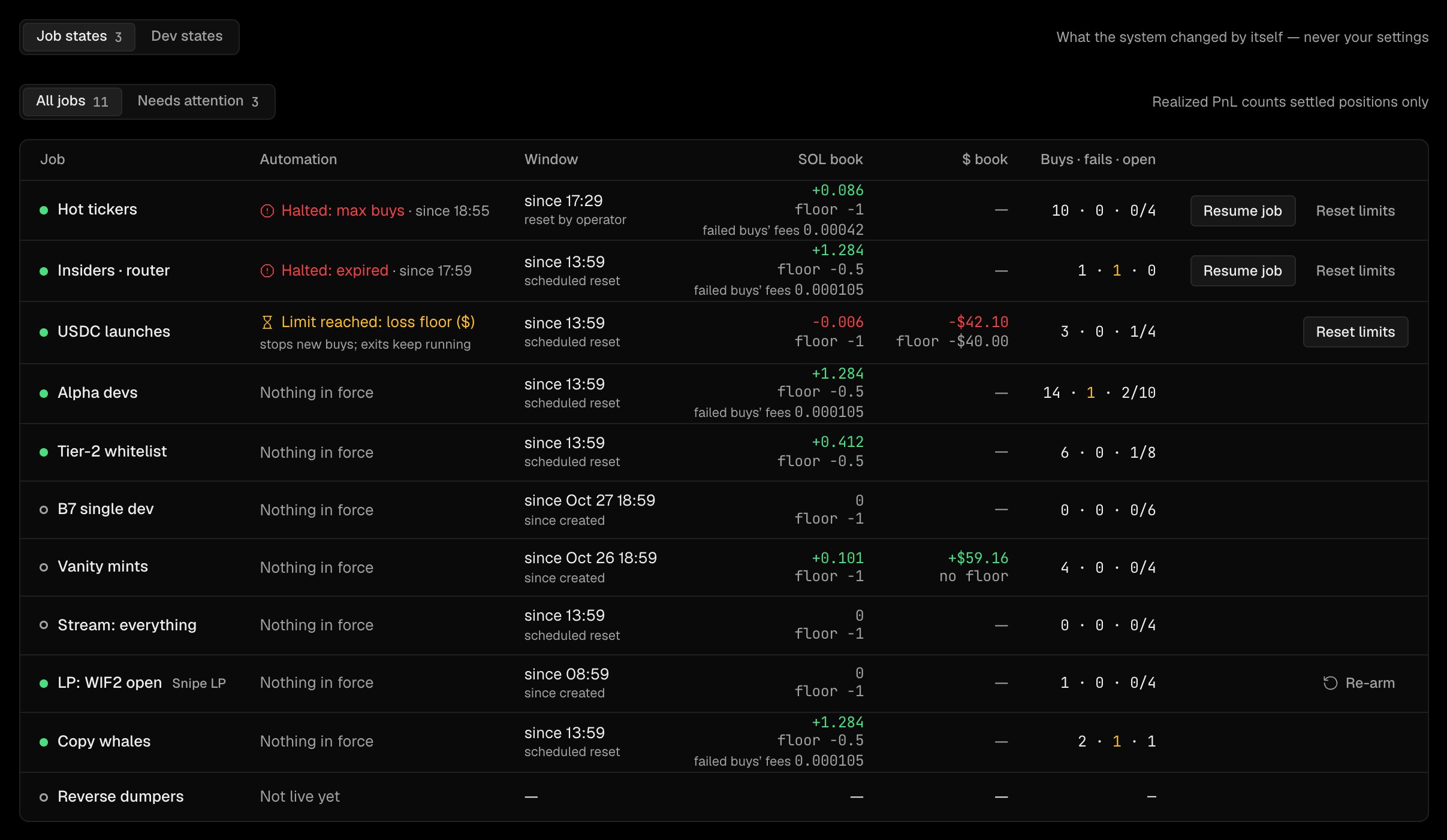
The two books are never added together. Realized PnL counts settled positions only.
What the Automation column says
A limit reads stops new buys; exits keep running. Hover an entry for its numbers and how it clears.
A job saved a moment ago reads Not live yet: a new job goes live about 10 s after it is saved. A book that reads
loss floor and restores wait (Waiting for a full window) has a position in its window with an incomplete history, so the
window’s peak, its loss floor and the dev restores by profit wait for a full window; Reset limits starts one. The
SOL book also names the window’s failed buys’ fees, already counted in it.
The panel says it under the table:
- Halts clear with Resume job (the counter that caused it restarts) or Reset limits (a whole new window). Resume buying does not clear them.
- Limits reached stop new buys until Reset limits, the scheduled reset, or (open positions) a close. Resume job does not clear them.
The buttons
- Resume job (a halted job): clears the halt and restarts the count that caused it, in about 10 s. Soft limits stay as they are.
- Reset limits (a halted job, or one at a limit): it re-enables entries after losses. A new limit window starts in about 10 s: spend, realized PnL and its peak, buys and failures restart in both books, and a halt clears.
- Re-arm (a Snipe LP job): lets the Snipe LP task buy once more. Structural: applies in about 60 s.
Dev states
What the jobs’ dev rules did to devs. Pick a job (or All jobs) and a state: All, Removed or Banned.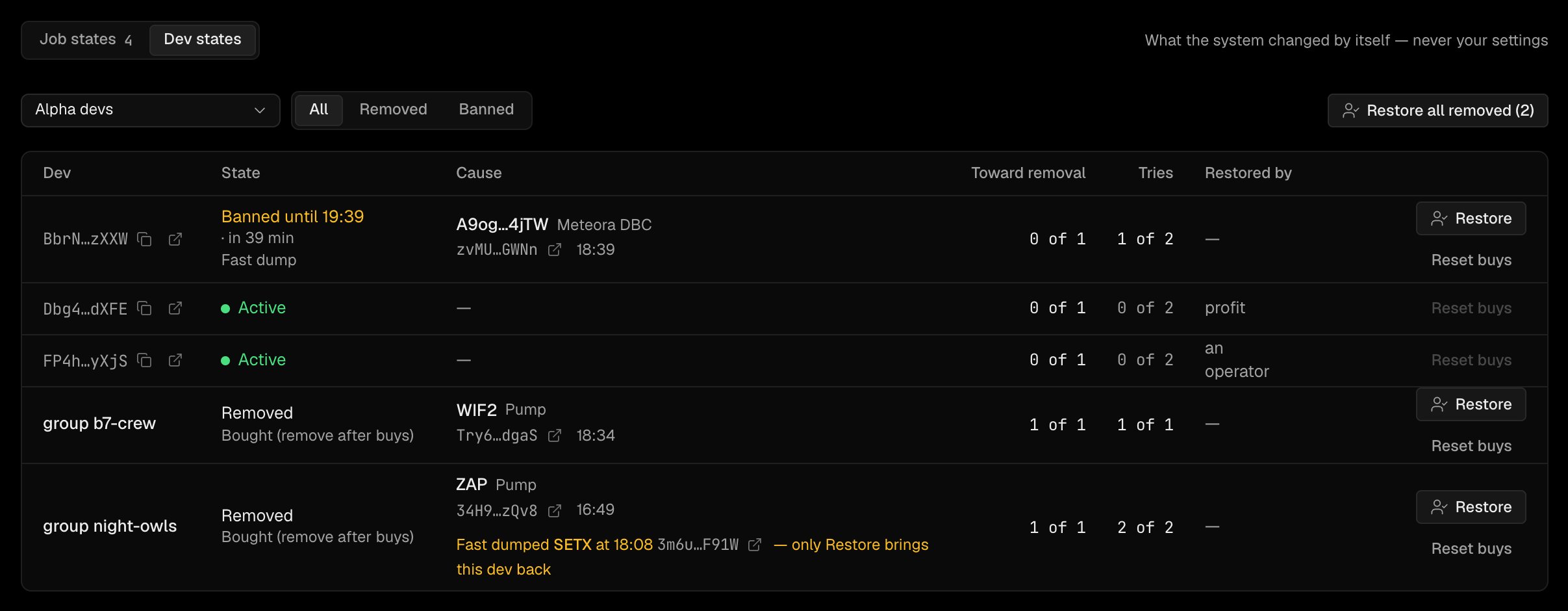
The reasons are Bought (remove after buys), Mayhem launch, Forbidden quote, Launched elsewhere,
Their next launch was the try, Failed buy and Fast dump. Their next launch was the try: the dev
launched a coin, which spent the job’s one try at them, bought or not; the job buys none of their later coins until a
restore. A copy job’s target can also read Spend limit reached, Losing streak or Loss limit reached. A removed dev that fast dumped reads Fast dumped with the coin and time: only
Restore brings this dev back.
Restore and Reset buys
- Restore: active again for this job only; other jobs and the lists are unchanged. Applies in about 10 s. To get fresh tickets too (about 60 s), switch on Reset buys too · fresh tickets, ~60 s. Without it, a dev that Remove after buys removed is removed again by its next buy.
- Reset buys: fresh tickets for the job, so earlier buys stop counting against Buys per dev. A removed dev stays removed. Structural: applies in about 60 s.
- Restore all removed appears when you pick one job that has removed devs.
Next
Limits and dev rules
Set the limits and dev rules that automation acts on.
Job commands
Resume job, Reset limits and Re-arm from a job’s page.
Activity
The skips and problems behind a halt or a limit.
Job limits reference
Every limit setting of a job.