

Settings that LaserCat is still testing on live trading carry a Test badge. Its tooltip says: “We’re still testing this setting on live trading. It works; if anything looks off, tell the LaserCat team.”
Set here
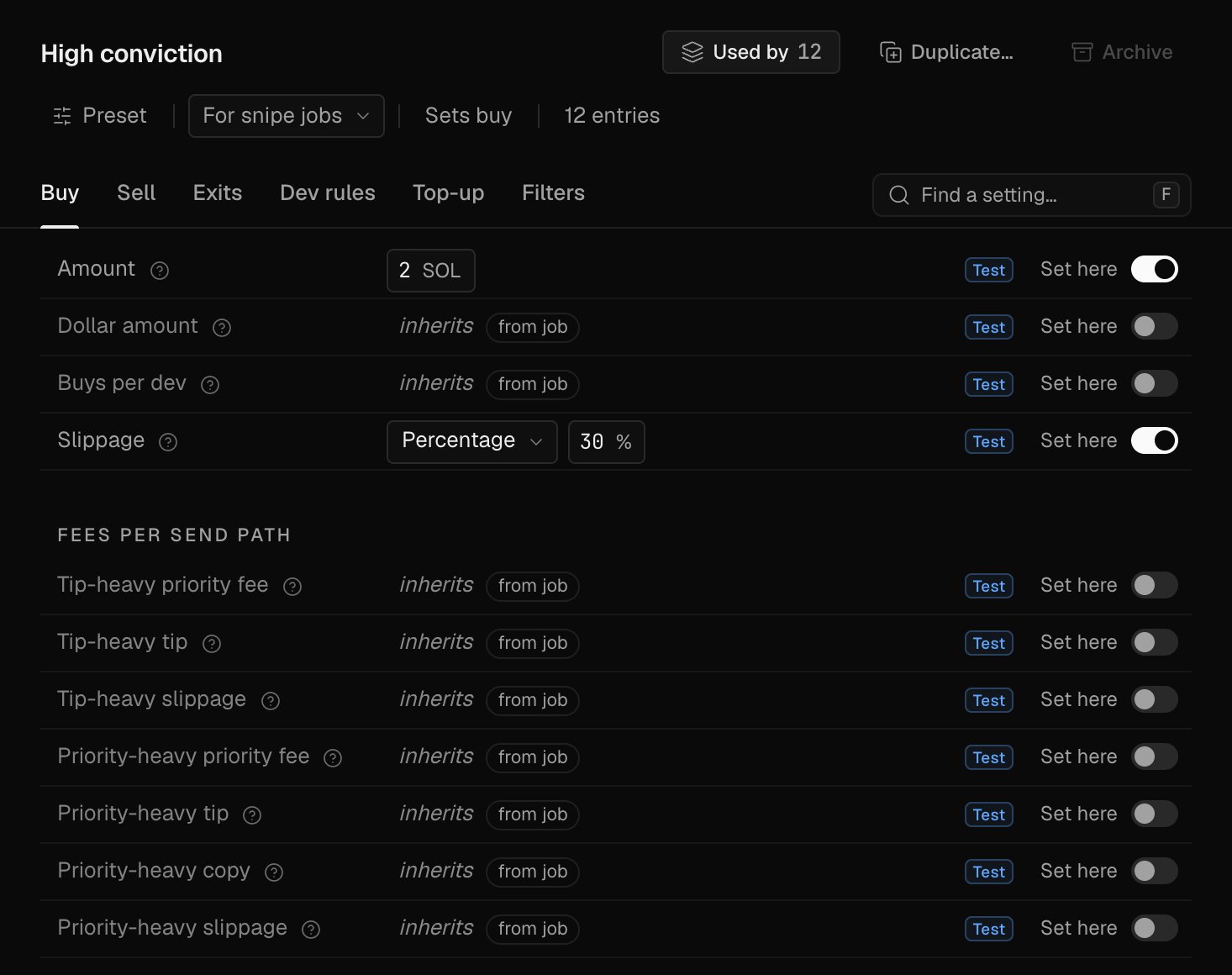
Every row of the preset editor has a Set here switch.- Off: not set here, the next layer decides. The row reads inherits (“from job”): the next layer decides, which is the job’s own value (an entry preset falls back to its list preset first).
- On: this preset sets it, and the row’s editor opens.
Tabs for snipe and copy jobs
A preset for snipe jobs shows Buy, Sell, Exits, Dev rules, Top-up and Filters. A preset for copy jobs shows Buy, Sell, Exits, Copy and Target rules, and its Buy tab has no Buys per dev and no DBC fee profile. A preset for both shows every tab. See Snipe or copy jobs.Buy
Buy · Fees per send path
Buy · Fee profiles
Each row is what one copy pays, its priority fee and tip, on one kind of buy. Not set here: the next layer’s.
While Priority-heavy copy is off here, the priority-heavy profiles are kept, greyed.
Buy · Execution
Buy · USD funding
How each stablecoin’s coins are bought, as on the job’s Buy tab: Directly with the dollar amount from the wallet’s own USDC, USDT or USD1, or Through SOL with the SOL amount through the router. A preset sets each coin on its own: USDC coins, USDT coins, USD1 coins. All with SOL sets all three here, through SOL.Buy · Custom quotes
Buy · Route
What a routed buy accepts: a coin of a custom quote, or a USD coin bought with SOL. Each row is set on its own, as in a job: a preset may set, say, only Max hops. The values and what they guard are on Route guards.
Buy any route sets every guard here at its loosest, with unconfirmed pools allowed and the gap between one hop and two off, for this preset’s devs. Press it again to unset them.
Sell
Sell · Fees
Sell · Remainders
Sell · Execution
Exits
Exits · Take-profit
Each rung’s share counts of bought (the default: a planned share of the amount bought) or of what remains (a share of what the position holds above the moonbag when the rung goes). Shares of what remains are not counted in the total: “shares of what remains not counted”. Highest rung only: “Off (the default): each rung a price jump passes sells its share. On: a jump past several rungs at once sells the highest one’s share alone, and a rung below one whose sale confirmed never sells.” See Exits.