

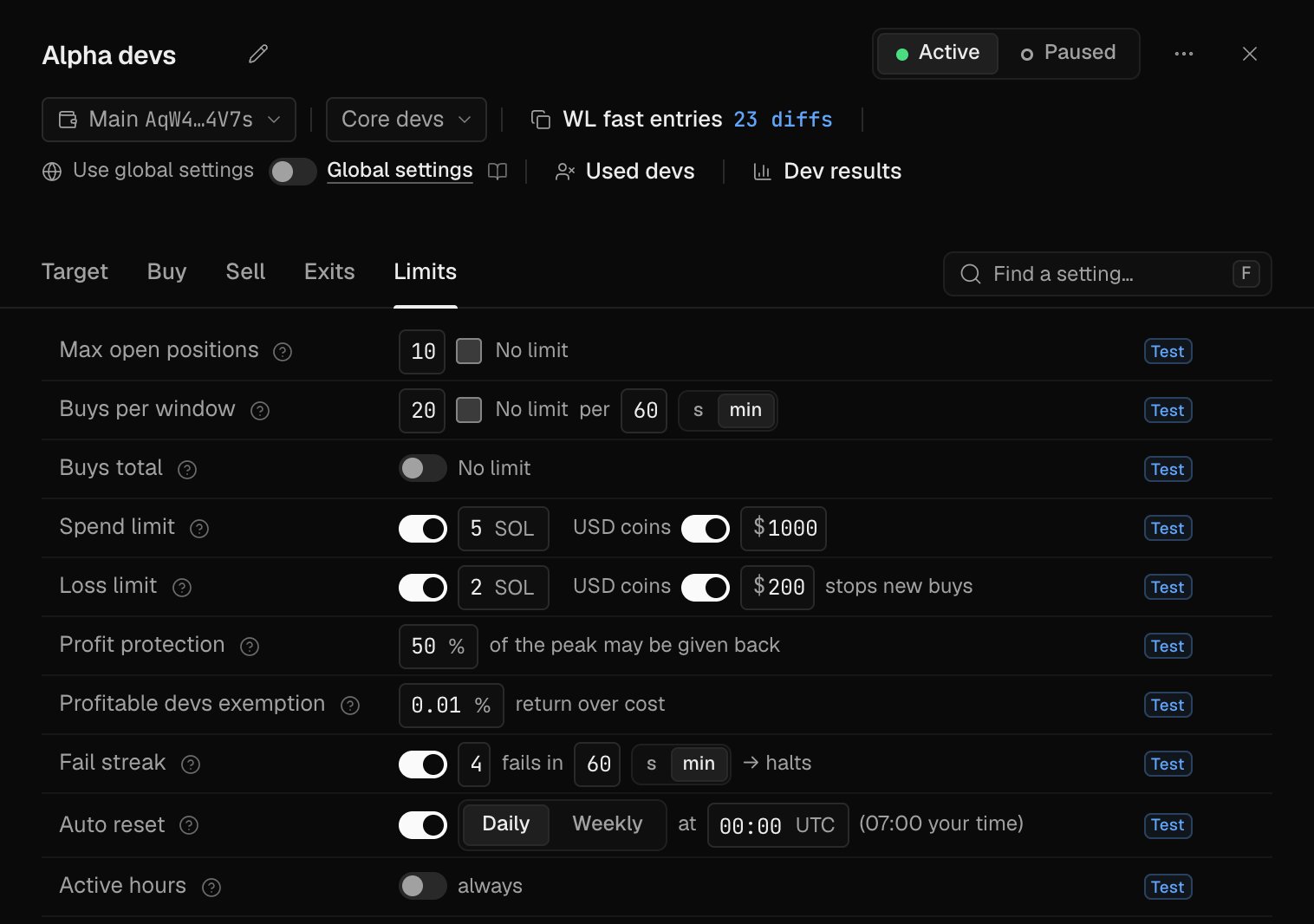
Every trading setting on this tab carries a Test badge: “We’re still testing this setting on live trading. It works; if anything looks off, tell the LaserCat team.”
Traders and Space Admins edit this tab. A Viewer sees it read-only.
The limit window
Limits count inside a limit window. A window starts when the job is created, when someone sends Reset limits, and at each automatic reset. In the jobs list, Today shows the job’s buys in the window (“Buys in the limit window (since its last reset)”) and PnL its realized PnL in the window. Money limits keep two books apart: SOL coins count in SOL, and USD coins (USDC, USDT, USD1) in dollars. Each money limit has a SOL field and a USD coins field.Soft limits
A soft limit stops new buys while it is reached.
When a limit is reached while the job is Active, the job says so: Limit reached: loss floor, Limit reached: $ loss floor, Limit reached: spend, Limit reached: $ spend, or Limit reached: open positions. Reset limits or the next automatic reset clears the money limits; Resume job does not. The open-positions limit clears as positions close.
Halts
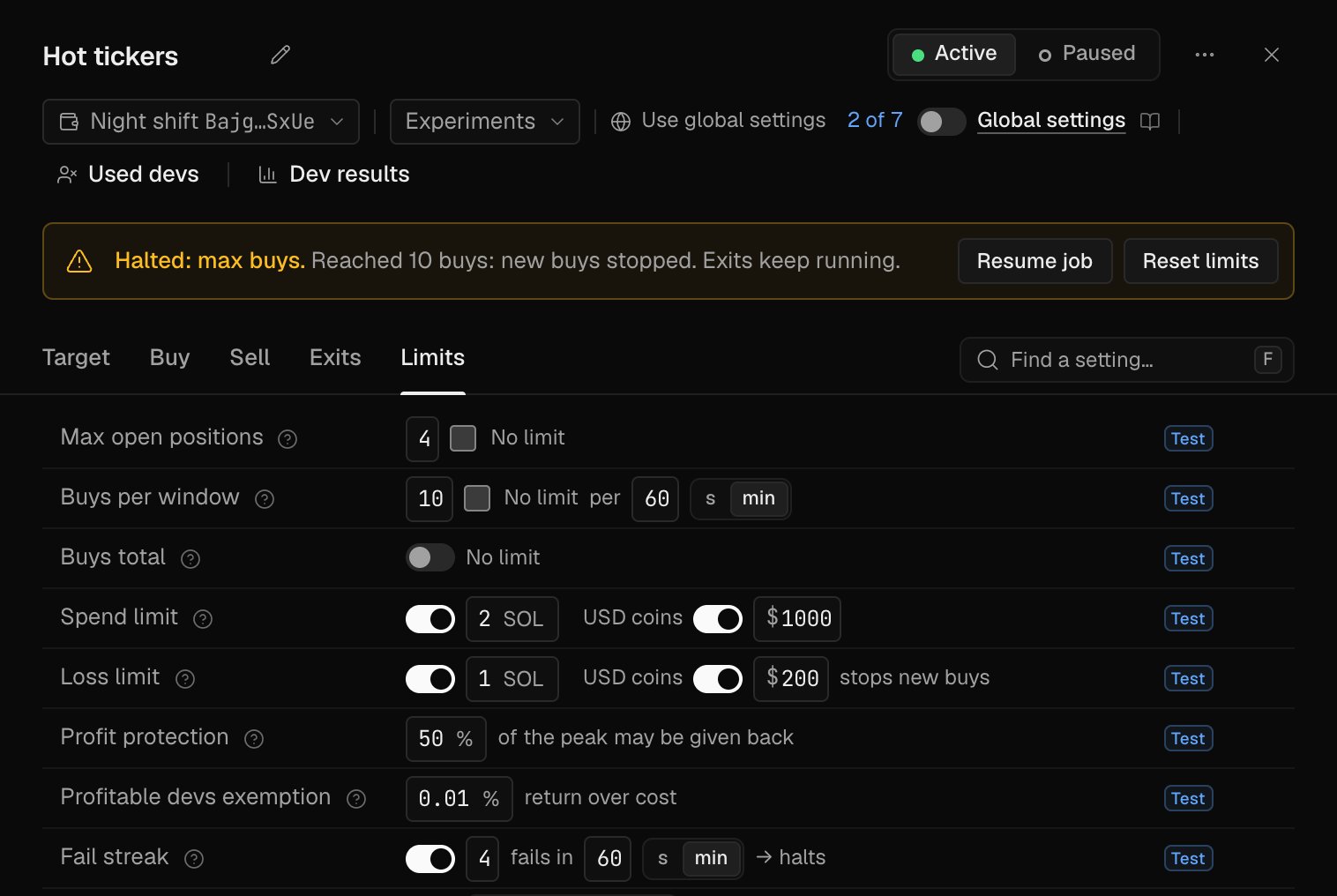
A halt stops the job’s new buys until you clear it.
The job then shows Halted: max buys (“Reached N buys: new buys stopped. Exits keep running.”) or Halted: fail streak, with Resume job and Reset limits. A halt shows in any state but Archived.
Schedule
Space Admin only.
- Auto reset starts a new limit window every day or week at this time (UTC): Daily or Weekly, a weekday, and a time. Your local time shows beside it. Off, the window resets “only by command”.
- Active hours: “No buys outside these hours (UTC); exits keep running.” Set the start and the end in UTC, and the days: Every day, or the days you tick (at least one). Hours after midnight UTC belong to the day they start on. Off, the job buys “always”.
Dev rules
Snipe only. “Only devs this job names (its lists and inline devs). Any-dev and named-coin matches are never removed, banned or restored.”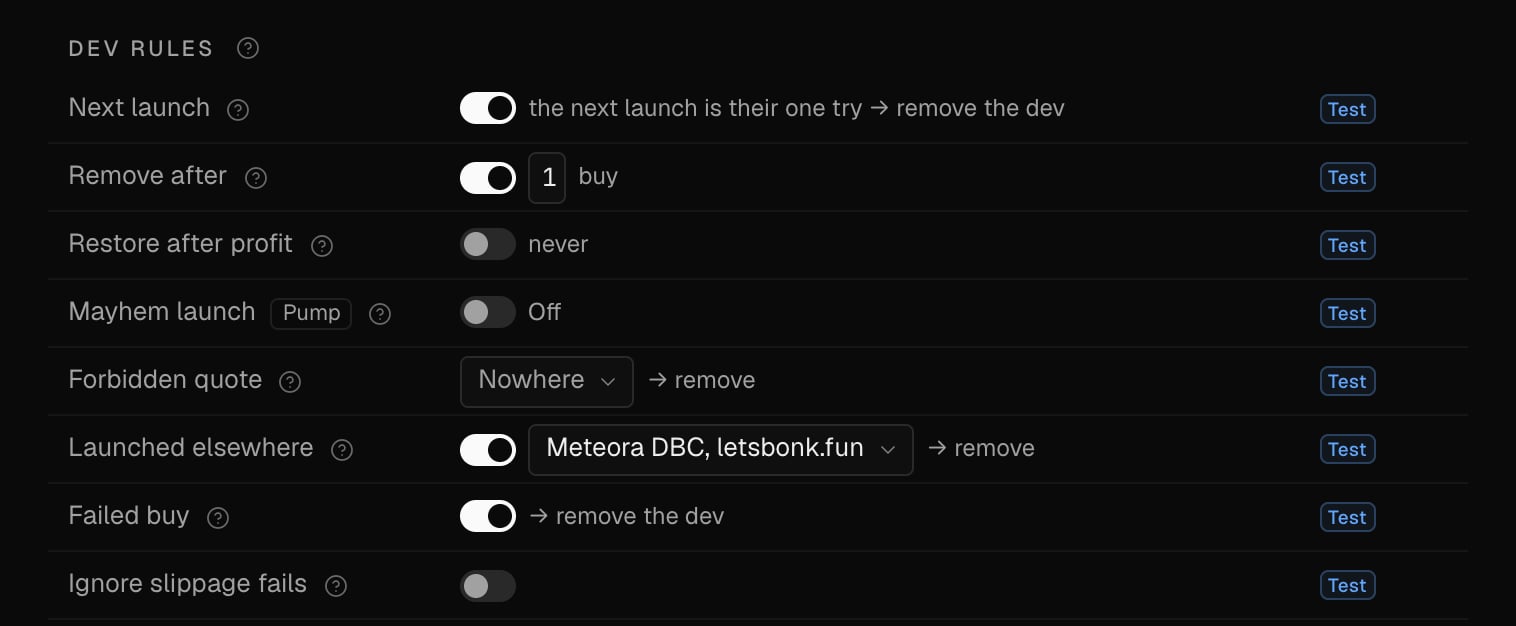
A dev removed by Next launch shows on the Automation page with the cause Their next launch was the try; Restore brings them back like any removed dev. Like any removal, it also sends the removed-dev notice in Telegram to the owner’s Traders and Space Admins, so a job that names many devs sends many of them; each person can turn them off with Removed devs in the bot’s 🔔 Notifications. See Notifications.
A removal or ban holds in this job only. A Space Admin sees removed and banned devs, and restores them, on the Automation page. See Automation.
Every limit and rule is in the Limits tab reference.
Next
Job commands
Clear a halt or start a new limit window.
Automation
Halts, limits, and removed devs, across jobs.