

Where a preset applies
- List preset: set on a dev snipe list, when you create it or in its Settings. It applies to every dev of the list.
- Entry preset: set on one entry, in the entry panel’s Preset, with Set preset on many entries, or with a preset in a list line. It “wins over the list preset for the fields it sets”.
- A copy list and each of its targets: see Copy lists.
Snipe or copy jobs
A trade preset is For snipe jobs, For copy jobs, or both, and its tabs follow: a copy job’s copy terms and target rules, or a snipe job’s buys per dev, dev rules and top-up. A preset a copy list uses is for copy jobs too, one a dev snipe list uses for snipe jobs.- New preset asks which it is for.
- The page’s filter shows All, Snipe or Copy, each with its count; a copy preset is tagged in its row.
- The editor’s top row says which it is for, and changes it. A preset that sets copy terms or target rules stays for copy jobs until you clear them.
- A list’s or an entry’s preset picker offers the presets for its kind of jobs.
The layer order
For each dev, a job’s settings come in layers, each laid over the one before:- your global settings, for the groups the job follows (see Global settings),
- the job,
- the list preset,
- the entry preset,
- the entry’s own: its settings, amounts and buying switch.
Create a preset
Traders and Space Admins create, edit, duplicate and archive presets. Viewers can only view them.
The editor
The editor’s tabs depend on which jobs the preset is for:
The search beside the tabs finds a setting by its name. In the Classic layout, the editor opens in a large window with every tab’s settings at once. Every setting is listed in Preset settings.
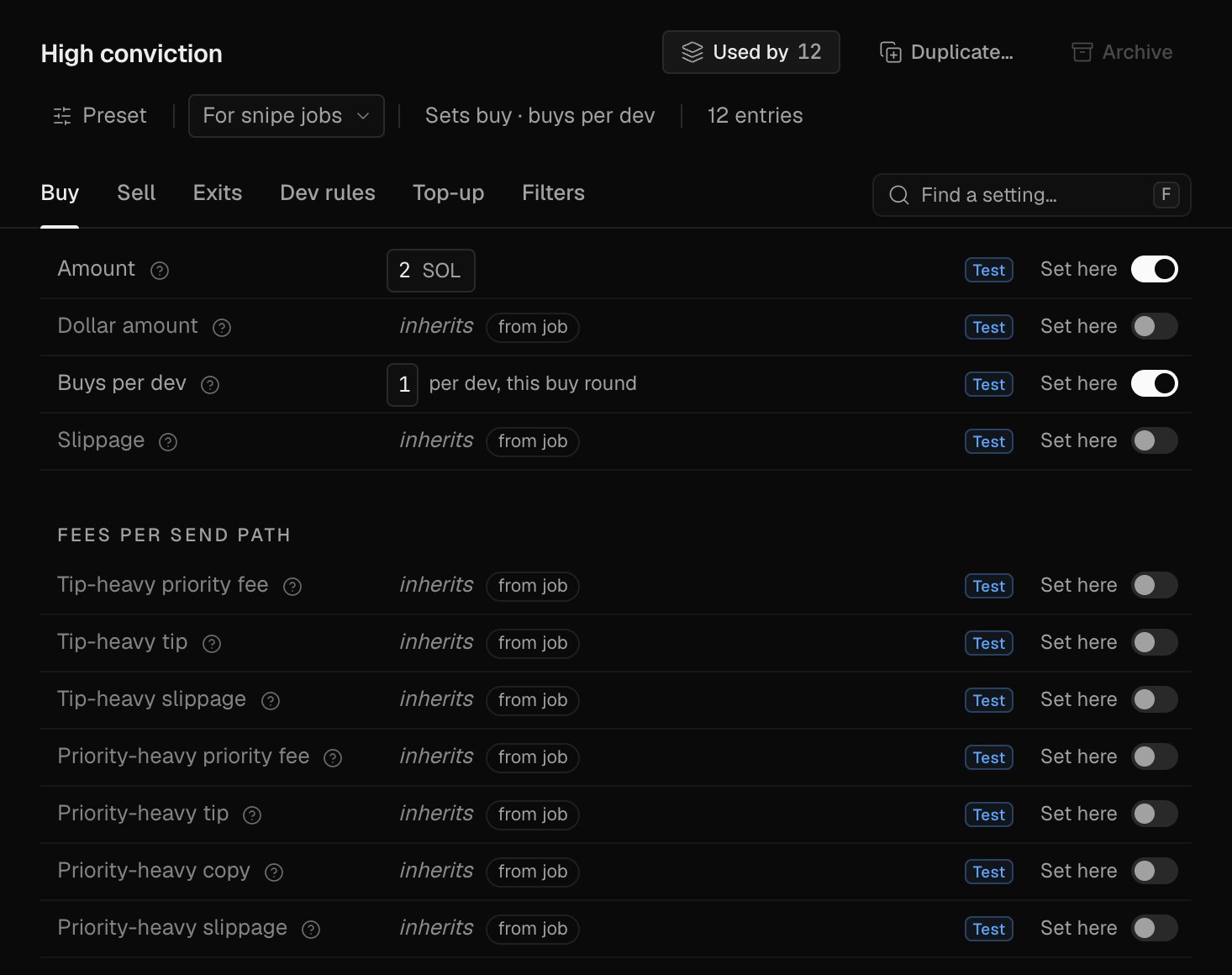
Set here
Each setting has a Set here switch:- Off: “not set here, the next layer decides”. The row shows inherits: “Not set in this preset: the next layer decides — a job’s own value (an entry preset falls back to its list preset first).”
- On: “this preset sets it”. Edit the value next to the switch.
Save your changes
The bar at the bottom counts your changes. Review lists them, with Save 3 changes at the end; Discard drops them. A change of Buys per dev is structural: it “applies in ~60 s and re-counts the cap of the devs” that use the preset. A preset change applies to new buys; open positions keep the settings they were bought with. If the engine rejects a save, the editor says “Save rejected.”, puts back what was in force, and keeps your edit unsaved to fix. See Saving changes.Used by
Used by, with a count, opens a panel: “Live dev snipe lists and copy lists that use it as their list preset, and entries that use it as their own. Archived lists and removed entries do not count.” Each line opens its list.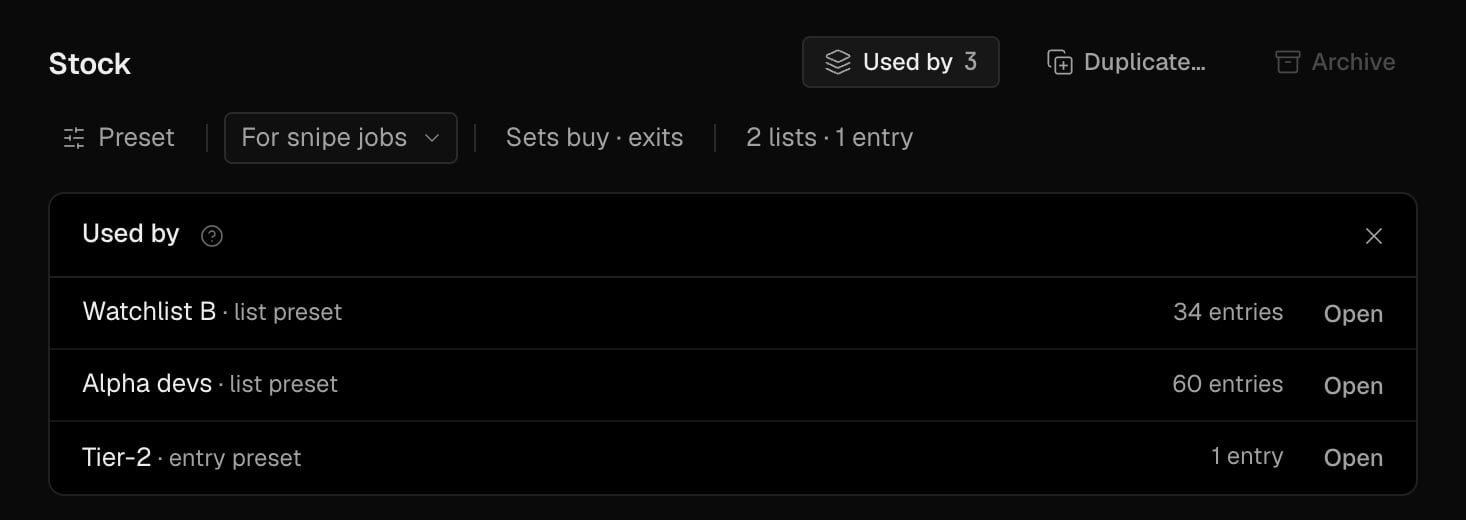
Duplicate a preset
Duplicate… makes “A new preset with every setting of Quick flip. Lists and entries keep using Quick flip.” Its name starts as “Quick flip copy”. Press Make the copy. The copy takes the preset as saved: “Unsaved edits are not copied: save them first to take them along.”Archive a preset
Archive asks you to confirm: “An archived preset is kept but can’t be picked again. Archiving cannot be undone.” You can archive a preset only when nothing uses it: move its lists and entries to another preset first. Save or discard your changes first, too. An archived preset is read-only.Next
Templates
Whole job settings that jobs are made from.
Preset settings
Every setting a preset can hold.