

Every trading setting on this tab carries a Test badge: “We’re still testing this setting on live trading. It works; if anything looks off, tell the LaserCat team.”
Traders and Space Admins edit this tab. A Viewer sees it read-only.
Auto-sell
Auto-sell at the top of the tab is the master switch. “Off: exit rules never fire; positions sell only by command.”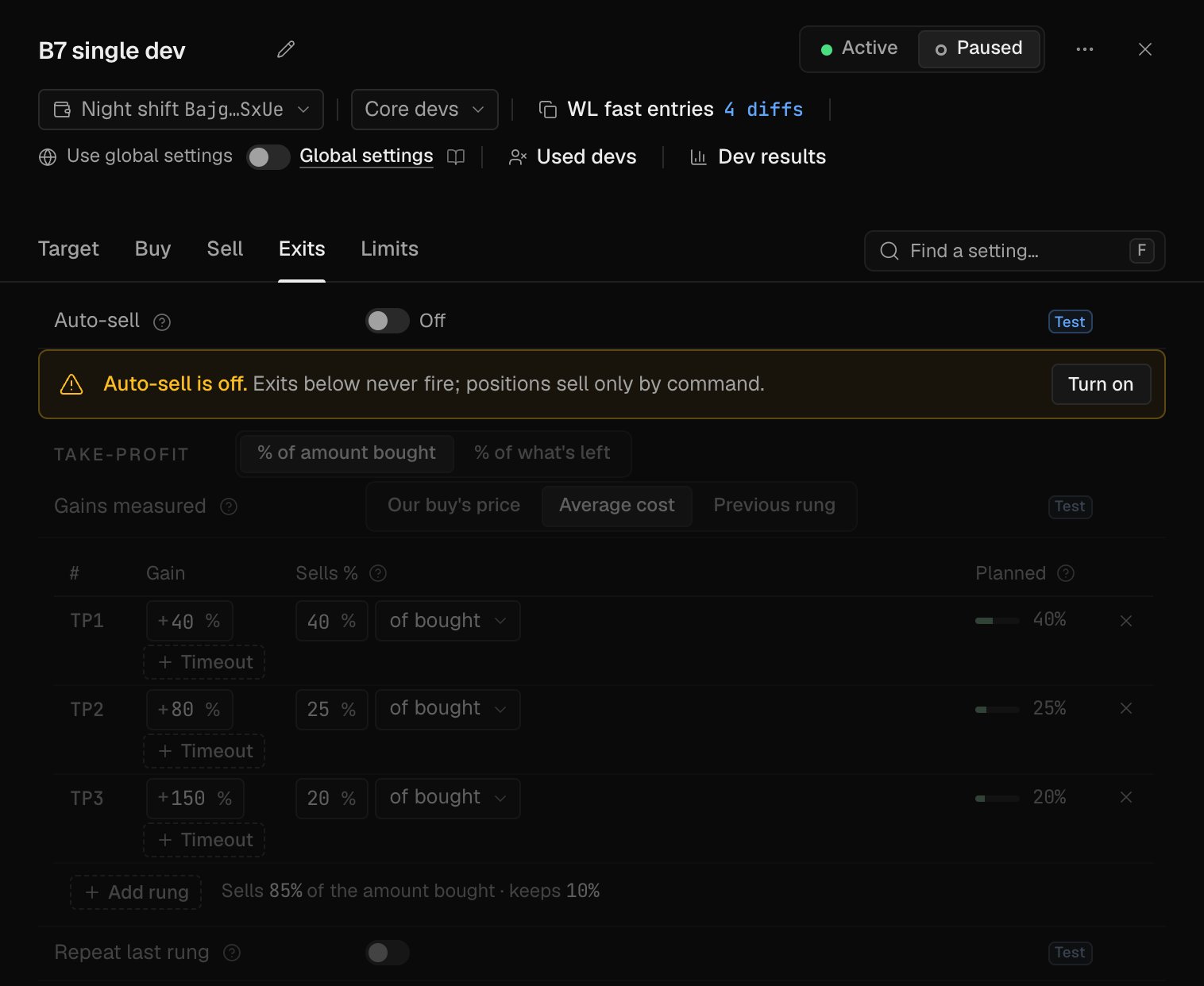
- a callout, Auto-sell is off., says “Exits below never fire; positions sell only by command” and offers Turn on; the rules below are dimmed;
- the job’s other tabs show Auto-sell is off. too, “Exits never fire; positions sell only by command”, with Show;
- a save that turns it off warns “Auto-sell off: exits never fire”.
What the percentages mean
- Sells in every rule are a share of the amount bought (“of bought”), unless you set a take-profit rung, its timeout, or Migration sell to sell of what remains (below). Liquidity loss always sells a share of what is held (“of held”).
- Stop-loss stages and trailing tiers count from the price right after our buy, not from the average cost.
- Show sells as switches the ladder between % of amount bought and % of what’s left. It changes only how the shares show, and it is not offered while a rung sells of what remains: “Not with a share of what remains: every share shows as it is written.”
Take-profit
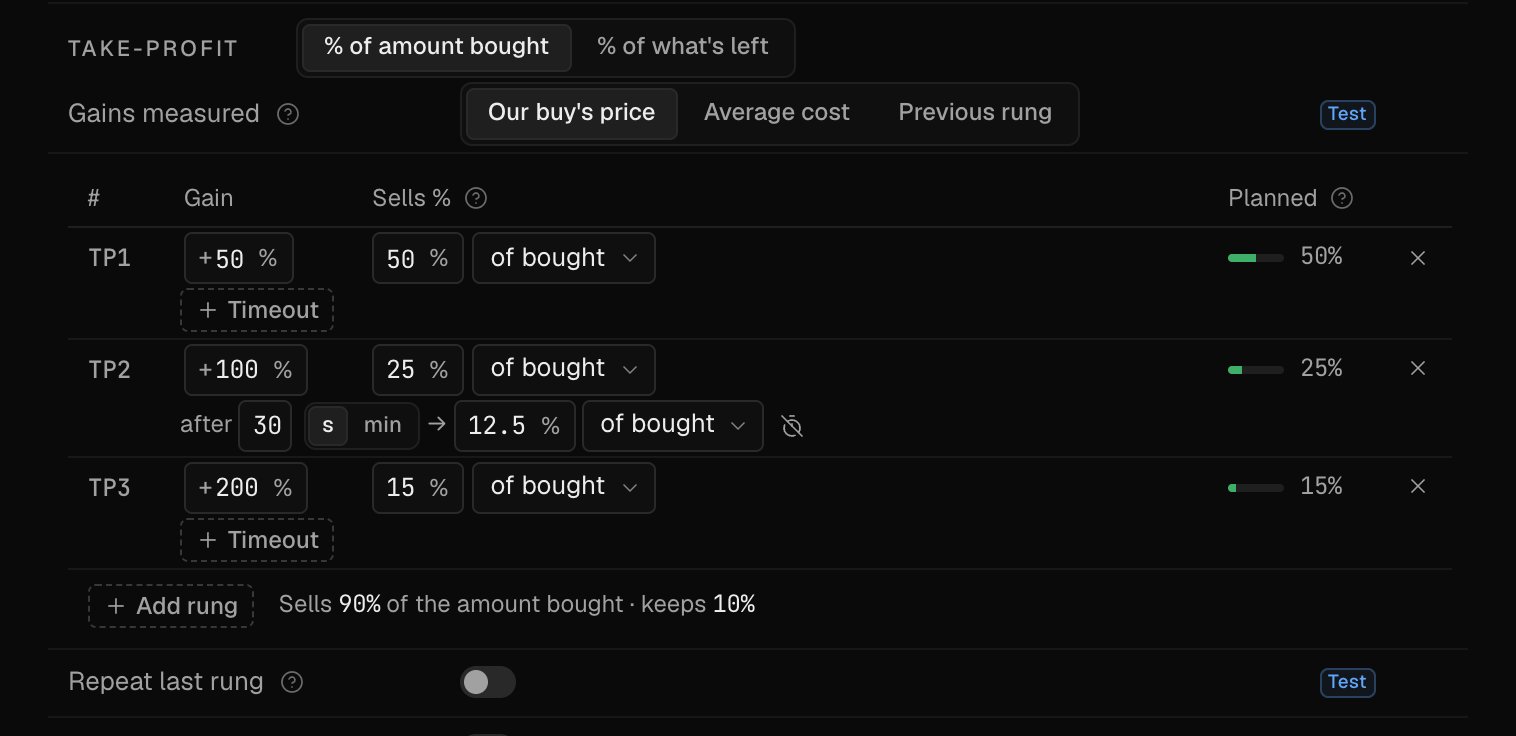
The take-profit ladder has a row per rung, TP1, TP2, and so on, with Gain, Sells %, Planned (the share of the amount bought it sells), and Timeout: “If the rung isn’t reached in this time after it became current, sell this share instead.” Add a timeout to a rung with its Timeout button.
- Add a rung with Add rung, up to 16. A rung keeps its number: a new rung never reuses a removed one’s.
- The shares of the amount bought add up to at most 100%. The footer shows the total and the moonbag kept, for example “Sells 75% of the amount bought · keeps 10%”.
- With no rungs, take-profit is off: “No rungs: take-profit is off”.
Of the amount bought or of what remains
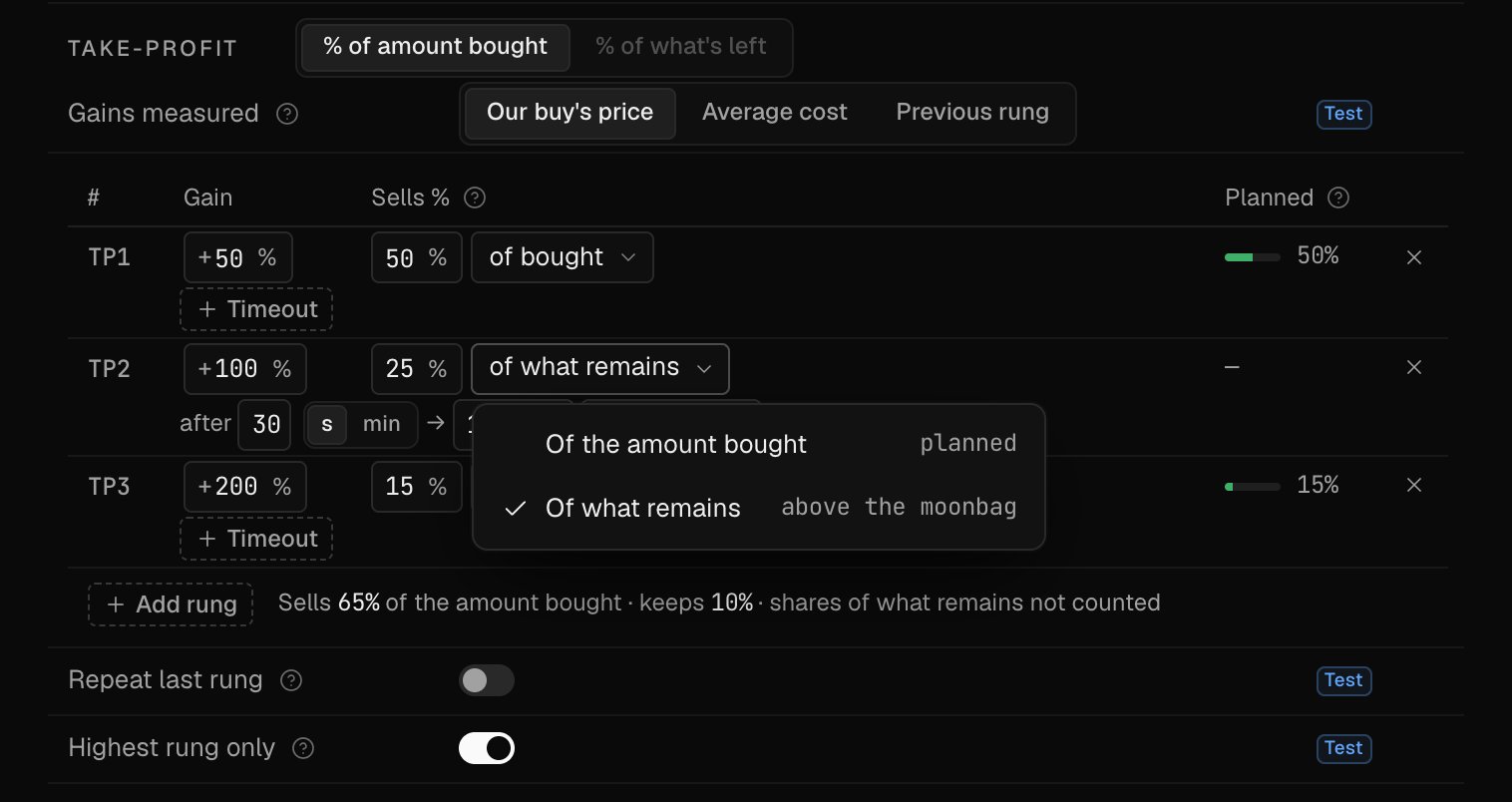
Beside each rung’s share, and its timeout’s, a choice says what the share is of:
For example: 100 tokens bought, a moonbag of 35, and a sale of 20 before: 50% of what remains sells 22.5. Such a step waits for the position’s other sales to confirm, and a repeating last rung sells its share of what is left each time.
Shares of what remains are not counted in the ladder’s 100%: their Planned reads ”—”, and the footer adds ”· shares of what remains not counted”. Migration sell has the same choice.
Highest rung only
Highest rung only is a switch under the ladder.- Off (the default): each rung a price jump passes sells its share.
- On: a jump past several rungs at once sells the highest one’s share alone, and a rung below one whose sale confirmed never sells. Rungs passed one move after another each sell. “Where prices differ for a moment, more than one such sale may go, never more than the ladder sells with it off.”
Stop-loss & trailing
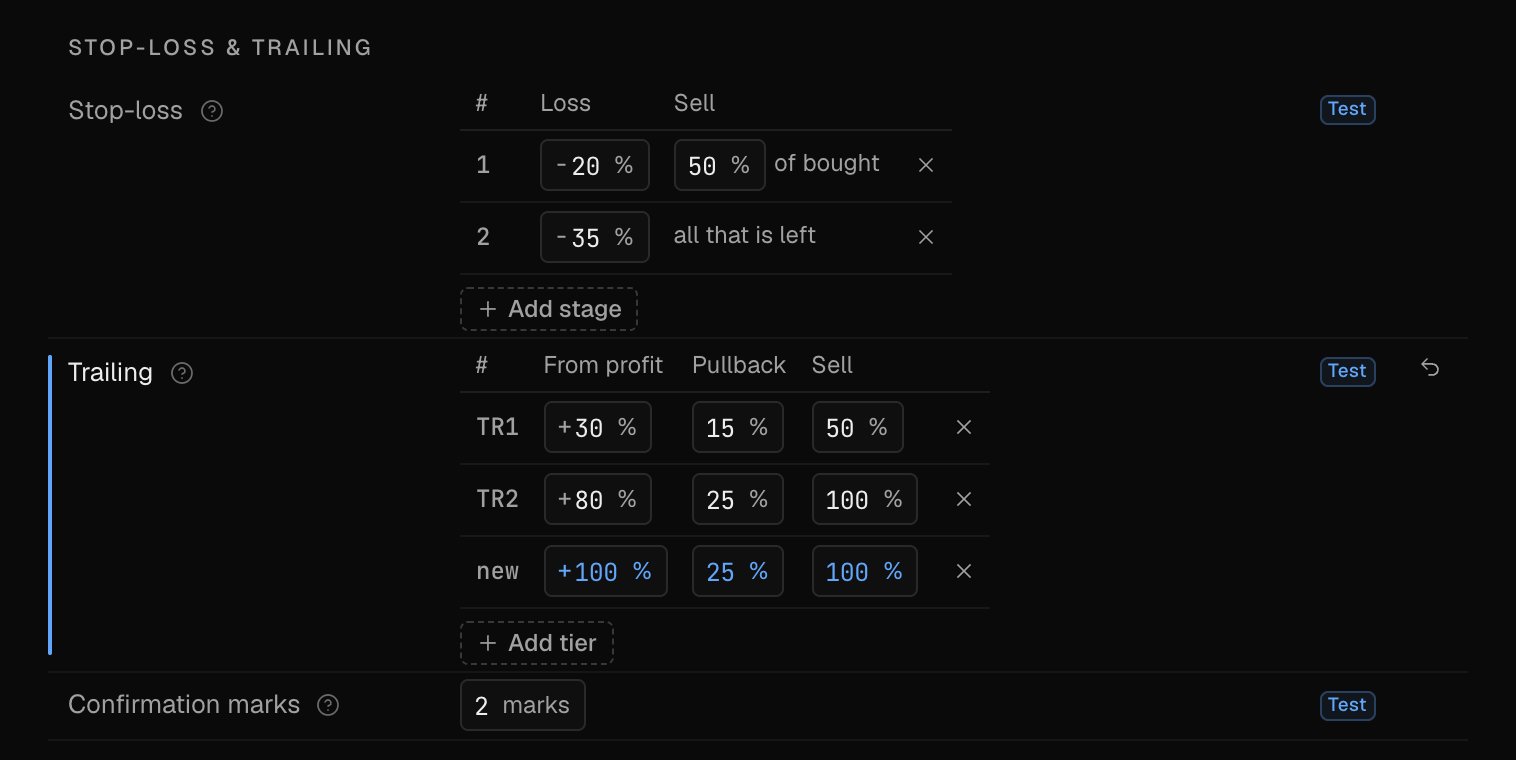
- Each tier is marked with its number: TR1, TR2, and so on. A lone tier 1 shows no mark.
- A tier you add reads new until you save. Then LaserCat gives it a number its list never used.
- A tier keeps its number through every edit, wherever it moves, so an open position’s firings stay with their tier.
- On a position, a trailing sell reads, for example, Trailing tier 2 (firing 1): the tier’s number, then which of its firings it was.
Rules
A rule with a switch is off while its switch is off; a rule made of lines is off while it has none. Every rule and its fields are in the Exits tab reference.
Each position keeps its own exits
“Each position keeps its own copy of the exits, taken from the job when it bought.” Editing the job’s exits changes what the next buys copy; open positions keep the exits they were bought with. To change the exits of a position already open, edit them on the position (Edit exits). That changes this position only. See Positions.Next
Positions
Follow a position’s steps and edit its exits.
Limits and dev rules
Stop buying after losses, failures, or too many buys.