

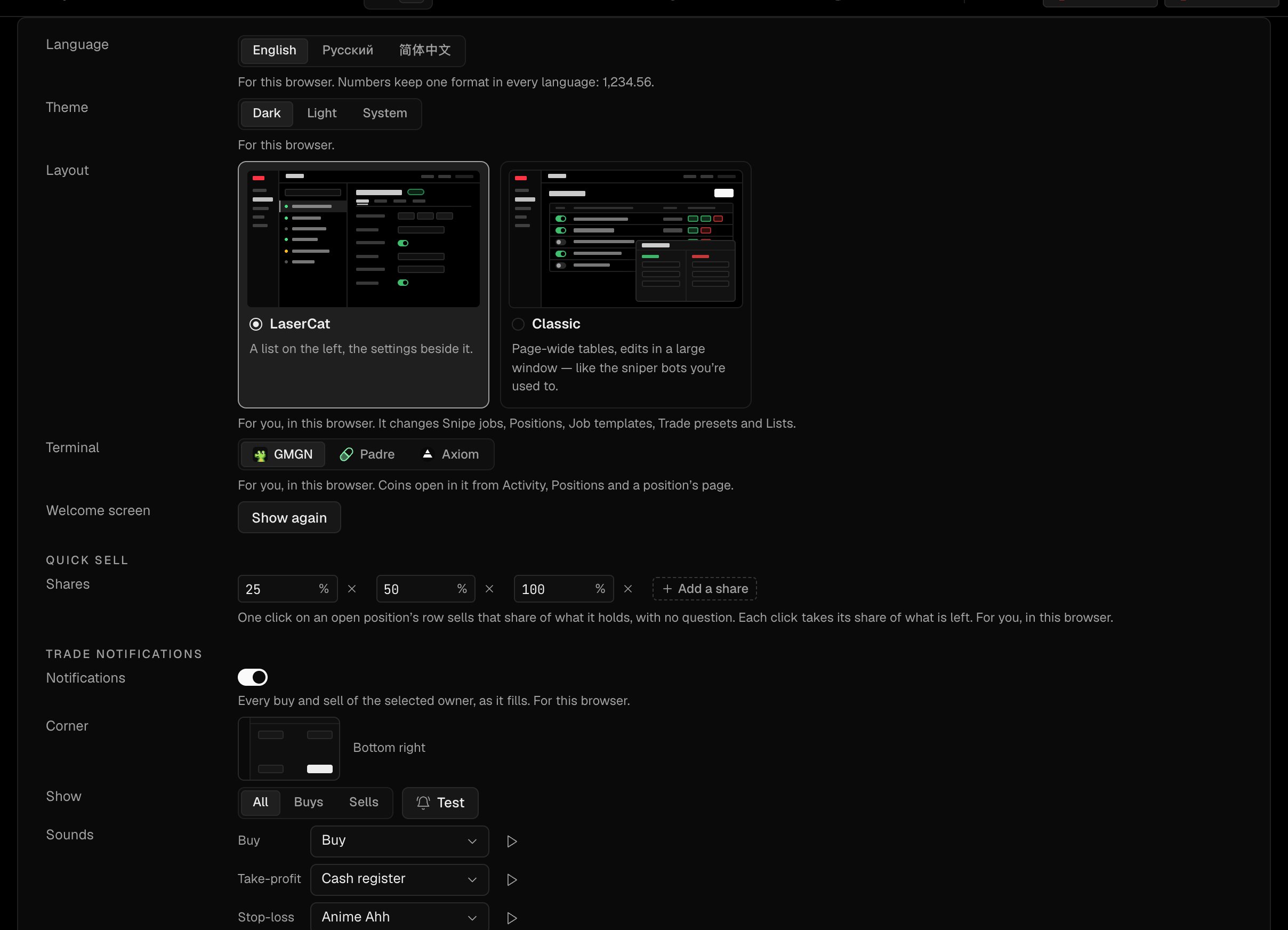
Language
English, Русский or 简体中文. On your first visit the panel takes your browser’s language: Russian for a Russian browser, Chinese for a Chinese one, English otherwise. Numbers keep one format in every language: 1,234.56. The same choice is under Language in the menu under your name (on a phone, in More), and in the bottom right corner of the login page (EN, RU, 中文).Theme
Dark (the default), Light, or System, which follows your system’s light or dark mode.Layout
Classic (the default) or LaserCat. It changes Snipe jobs, Copy jobs, Positions, Job templates, Trade presets and Lists: see Two layouts.Terminal
GMGN (the default), Padre, or Axiom: the trading terminal a coin opens in from Activity, Positions, and a position’s page, such as Open in GMGN. It is your choice in this browser. The same picker sits beside Activity’s sort and at the end of the Positions header; its tooltip says, for example, “Coins open in Padre”.Welcome screen
Show again opens the welcome you saw on your first visit. Nothing else changes.Quick sell
The shares an open position’s row sells in one click, on Positions: 25, 50 and 100% at first. Keep one to four shares, each from 1 to 100%; Back to 25 · 50 · 100% resets them. One click sells that share of what the position holds, with no question; each click takes its share of what is left.Trade notifications
A small card pops up for every buy and sell of the selected owner as it fills.- With Notifications off, Corner, Show, Sounds, and Volume are hidden.
- Sounds lists only the kinds of trade that Show lets through, each with a play button to hear it.
- Other sells covers any sell that isn’t a take-profit or stop-loss step: a take-profit’s timeout, trailing, by time, manual, a close, the dev’s sale.
- On a phone, the cards always show at the bottom, above the tab bar.
- The sound plays in one tab only. Browsers allow it after your first click on the page.
What a card shows
A card shows Buy or Sell and the coin, a sell’s exit step, the amount and the tokens, the job (or Manual), the wallet, and how long ago it happened. Click the card to open the position; × dismisses it. Up to four cards show at once; more collapse into a “+N more trades” line that opens Activity. Pointing at the cards pauses them.Next
Owner settings
Your owner’s limits.
Telegram notifications
The notices the bot sends you.