

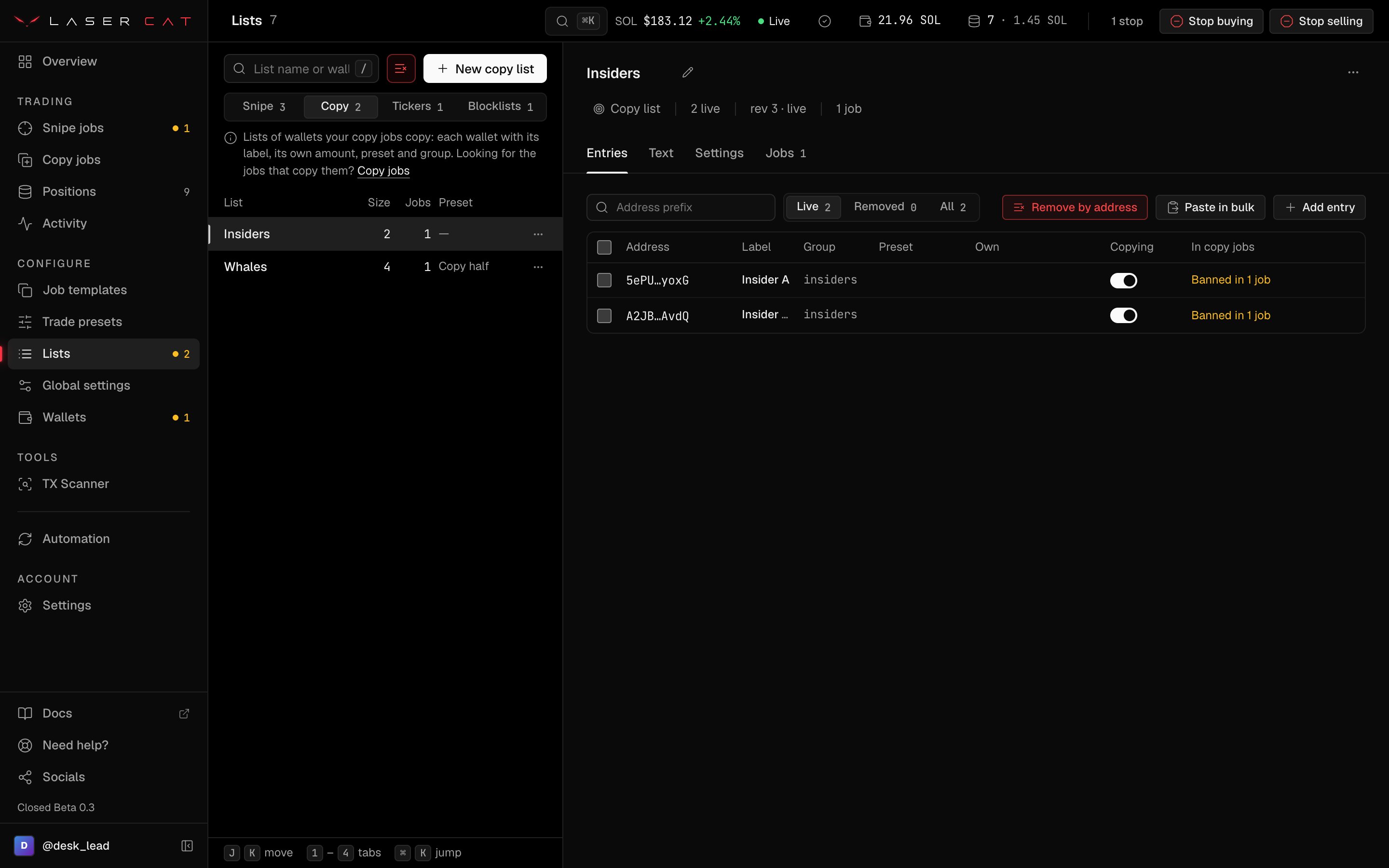
Create a copy list
Trader or Space Admin.
| and a
label: <wallet>, <wallet>,0.5, <wallet>,<preset>, <wallet>,0.5,<preset>, then |Whale to name it. The preset
goes by its exact name or its id.
A LaserCat wallet can’t be a target: copy jobs never copy one, and the list refuses it.
Add the list under Copy from in a copy job to copy its wallets.
The entries
The Entries tab shows each wallet with its Label, Own (what it sets of its own: an amount, copying on or off), a Copying switch, and In copy jobs: its state in each copy job that copies the list. The Copying switch turns one wallet’s copying on or off right there; it wins over every preset.A target’s entry
Click an entry to open it. A target can set:
The list’s own preset applies to every target of the list: its copy terms, target rules, buy and sell. A target’s own
preset or amounts win over it. A target sets nothing else of its own.
Each wallet in each job
An entry’s In copy jobs block shows where the wallet stands in every copy job that uses the list: copying, removed or banned, what it spent and made. Act on it there:Trader or Space Admin.
- Restore target: the job copies it again from its next trade. Its spend, PnL and losing streak stay.
- Restore and reset counts: the same, with its spend, PnL and losing streak back at 0.
- Reset counts: its spend, realized PnL, buys and losing streak in this job go back to 0. A reset does not restore a removed target.
Edit many at once
The list tools work on copy lists too: import and export with labels (<wallet>|<label>), Remove by address, Duplicate… and Archive…. See Lists.
- Paste in bulk adds: nothing is removed, and an own amount, preset or label a line leaves out stays as it is.
- Replace list… makes the list exactly the text: each entry becomes its line, and an own amount, preset or label the line leaves out is cleared. Removed targets leave every copy job that uses the list.
Next
Copy jobs
Jobs that copy the wallets on your lists.
Lists
The other kinds of lists and their tabs.