

Trader or Space Admin. A Viewer sees these buttons disabled.

Sell a share in one click
Beside Sell, the buttons 25%, 50%, 75% and 100% send the sell at once, with no confirmation. Each share is a share of what the position holds now, the moonbag included; hover a button to see about how many tokens it sells. 100% sells all of it.- One sell at a time: while one is being sent, the other buttons wait (Another sell is being sent).
- Two sells in a row compound: a sell sent within seconds of another takes its share of what that one leaves, so two 50% sells sell 75%. The button’s tooltip and Sell… warn you when this applies.
- A toast confirms what was sent. The result shows under Commands in the inspector.
Sell any share
Sell… opens a box such as Sell WIF · % of what’s held. Type a share from 0.01% to 100%: the line under it shows about how many tokens of what is held that is, the moonbag included. Press Sell or Enter: it sends at once.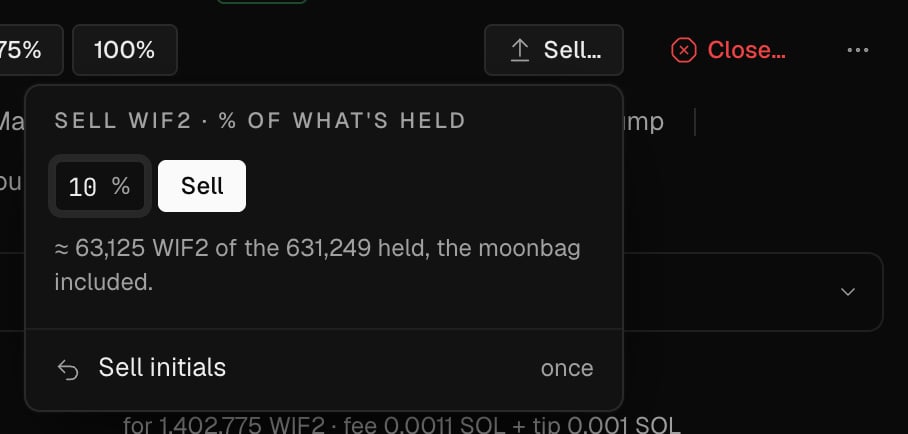
Sell initials
At the bottom of Sell…, Sell initials sells enough to get the cost back (buy plus top-up, fees and tips included) at the current mark. It asks you to confirm first. It works once per position. After it ran, the item is disabled: Sell initials already ran: once per position. While one you sent has not landed yet, it reads Sell initials was sent: once per position.Close a position
Close… asks first, for example Close WIF? The dialog says how many tokens it sells and at what slippage: it sells everything left, the moonbag included, at the job’s slippage (a manual buy uses its own sell slippage), and closes the account so its rent comes back. It can’t be undone. Press Close position to send it.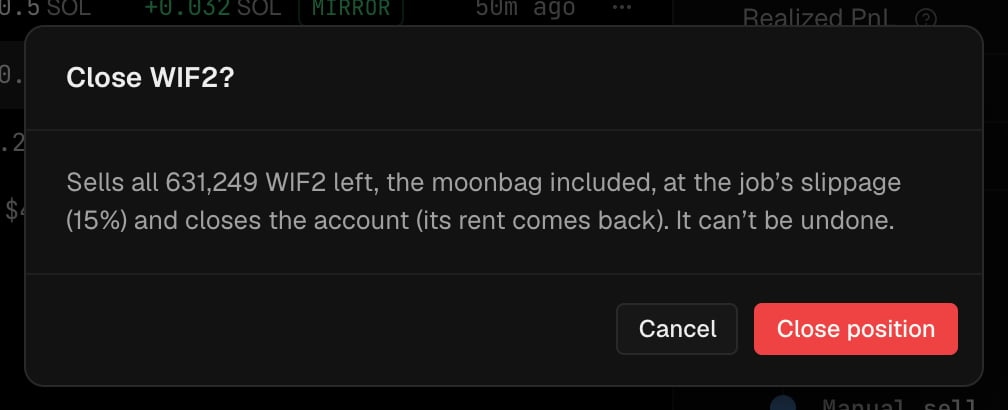
Close again
A closing position has sold out and waits for its account close. If that close waits over 2 min, it may have stopped trying after three failures: the button becomes Close again…. It asks first, sells nothing (nothing is left to sell) and starts the account close afresh; the rent comes back with it.Close all
On the Open tab, Close all closes every open position of the list: its job, wallet and coin filters. Set the filters first to close only some. The confirmation names how many positions and where, and warns Jobs keep buying: closing stops no job, so new positions open after it. When no job or coin filter is set, tick Stop buying first to stop new buys for the whole account, or for the wallet you filtered, before the closes go out. Each position sells all it holds at its own sell slippage and closes its account. Press Close all to send.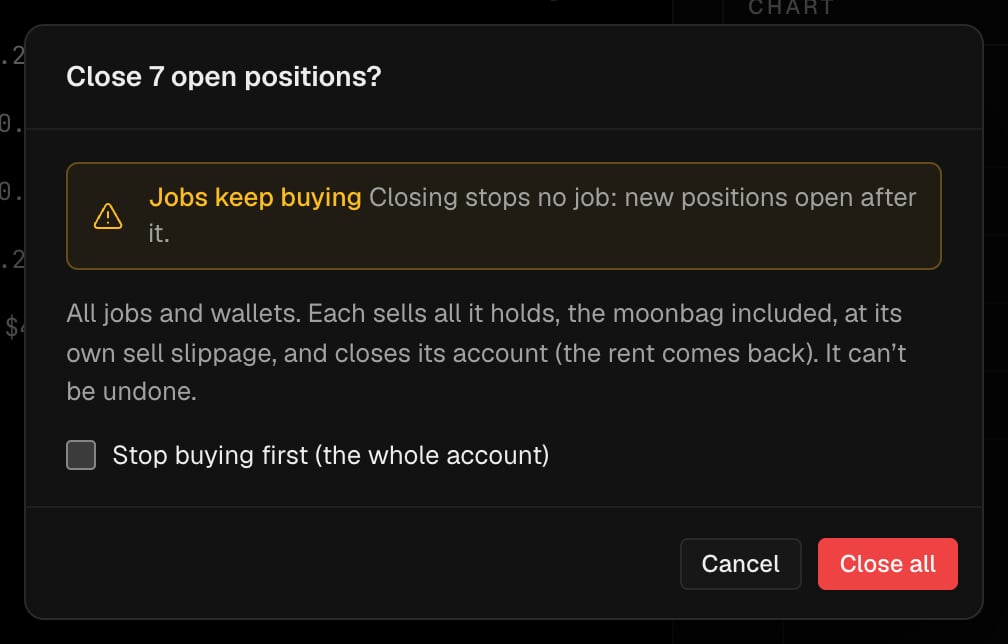
Close selected positions
In the Classic layout, tick the rows you want to close: a bar of Selected positions shows how many, with Close…. It asks first, for example Close 3 positions?: each sells everything it holds at its own sell slippage. Jobs keep buying: press Stop buying in the top bar first if you need to. Only open positions among those ticked are closed; a toast says how many were not.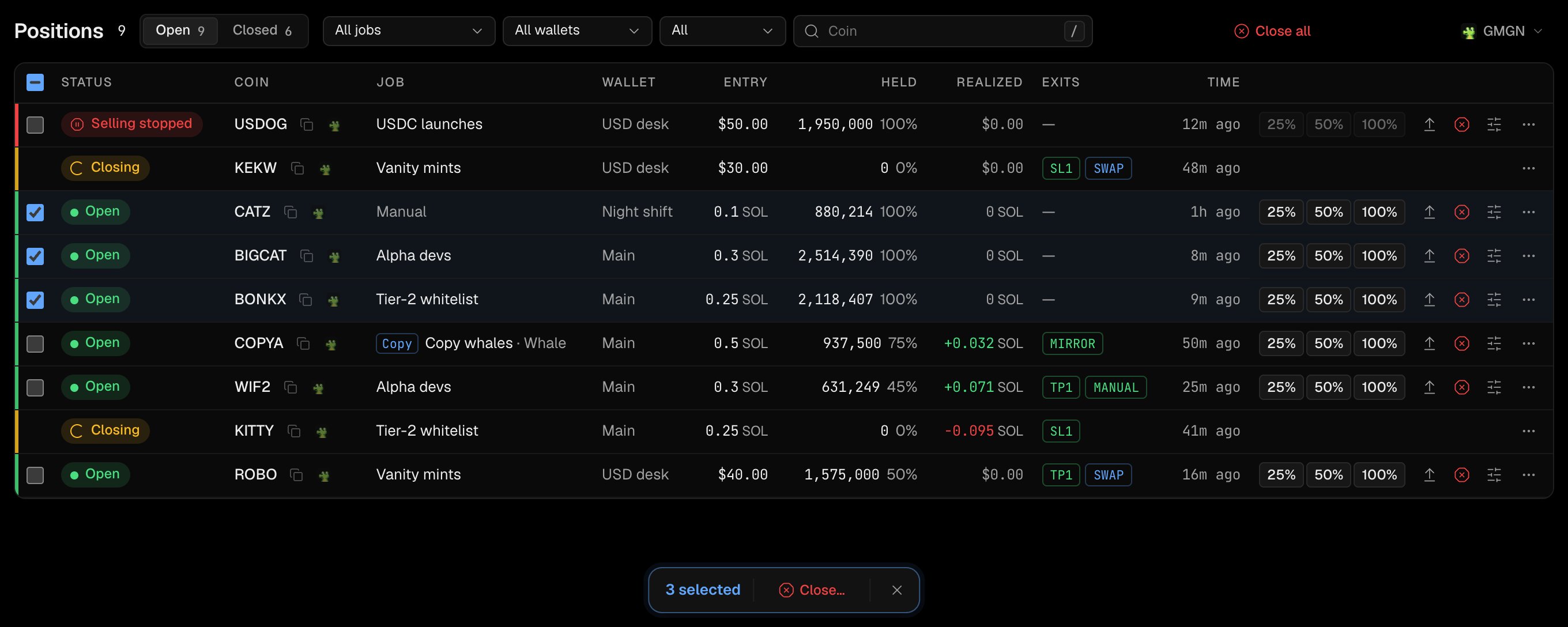
When the buttons are off
- Your role (viewer) cannot send commands: a Viewer can’t sell or close.
- Sold out: the account is closing or The position is closed: there is nothing left to sell.
- At most 8 edits of a position in 10 s: Edit exits takes at most 8 edits of one position in 10 seconds. Wait the seconds it names.
From Telegram
The bot’s notice of a new position is a card with sell buttons: 1% to 100% and Initials while the position is open, Close once it is closing. In the bot, 100% closes the whole position. 🛑 STOP on the card stops selling the coin, and ▶️ Resume resumes it. The bot acts as you, at most as a Trader, and it never buys. See Bot notifications. In LaserCat in Telegram, a position’s page has the same sells and Close… as the panel’s.Next
Positions
Read a position’s money, steps, commands and trades.
Bot notifications
Position cards and their buttons in Telegram.
Stops
Stop buying or selling for the owner, a wallet or a coin.
Exits
The rules that sell a position by themselves.