

- Used devs: “Devs this job tried, bought, removed or banned, why, and the tries each spent”.
- Dev results: “Each dev this job bought: buys, closed positions, the last close’s profit, realized PnL and its peak, and whether the job still buys the dev. Export as CSV.”
Where to find them
- LaserCat layout: Used devs and Dev results at the top of the job, after its wallet, group, and template. Each opens a panel over the editor’s tabs; × closes it.
- Classic layout: the tabs Used devs and Dev results on the job’s page, beside Positions and Decisions.
Used devs
Every dev this job spent a try on, bought, removed, or banned.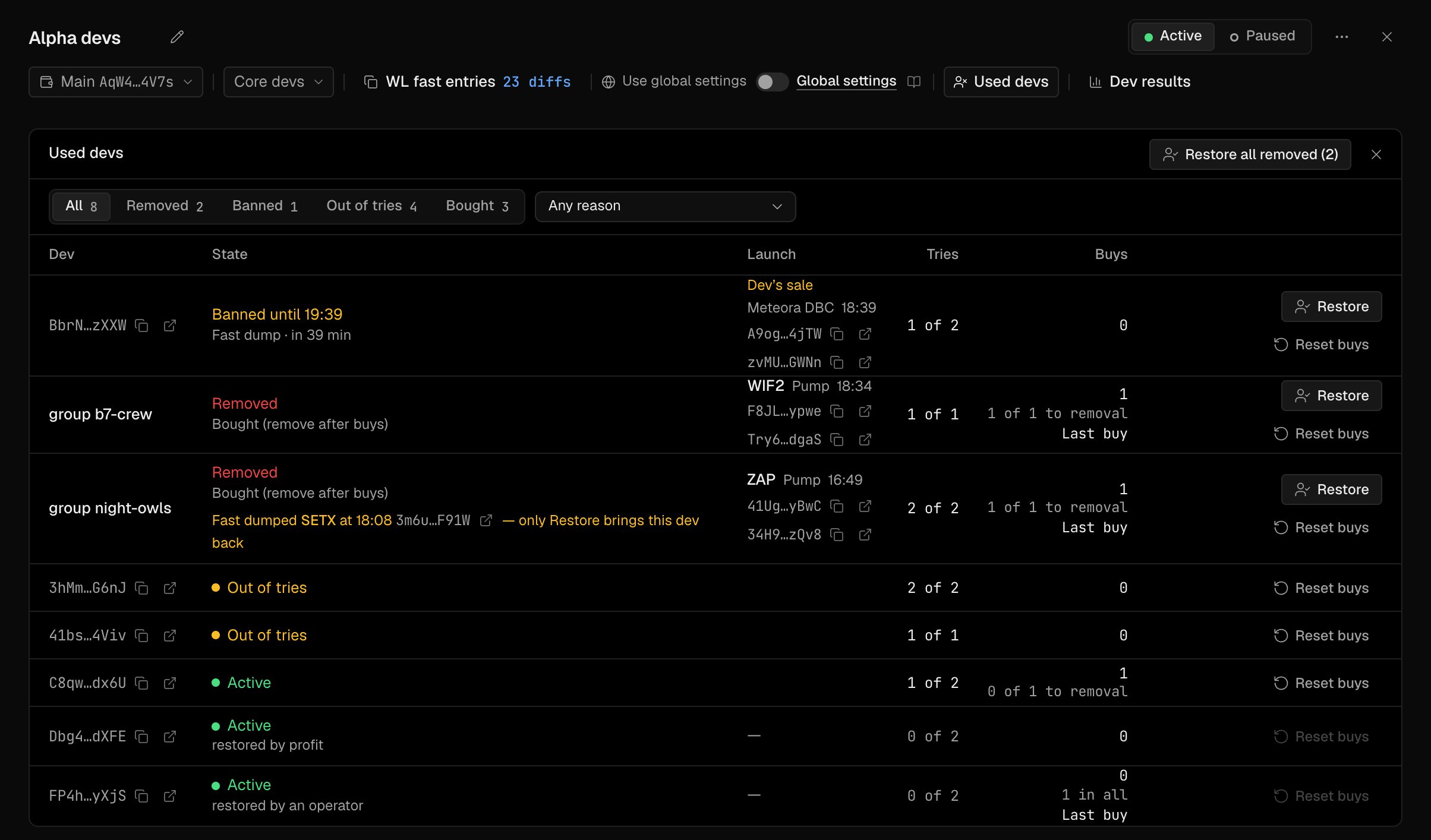
Out of tries means “Every try spent, by the cap at its last try: this job buys no more of this dev until Reset buys.”
The reasons are the dev rules’ own, such as Bought (remove after buys), Mayhem launch, Launched elsewhere,
Failed buy, and Fast dump: see Limits and dev rules.
The table draws 100 rows at a time; Show 100 more adds the next. A long record reads the removed and banned devs first
and says what it leaves out under the table.
Restore and Reset buys
Space Admin only. A Trader sees the buttons disabled: “Needs the Space Admin role”. An archived job takes none.
- Restore, on a removed or banned dev: “Active again for this job only; other jobs and the lists are unchanged. Applies in ~10 s.” Switch on Reset buys too · fresh tickets, ~60 s to give it fresh tickets as well. Without it, a dev that Remove after buys removed is removed again by its next buy.
- Restore all removed (N): every dev this job removed, at once.
- Reset buys: “Fresh tickets for job: earlier buys stop counting against Buys per dev. A removed dev stays removed.” Structural: applies in about 60 s. A dev with no buys and no tries reads “No buys to reset”.
Dev results
One row for each dev this job bought, with how it did.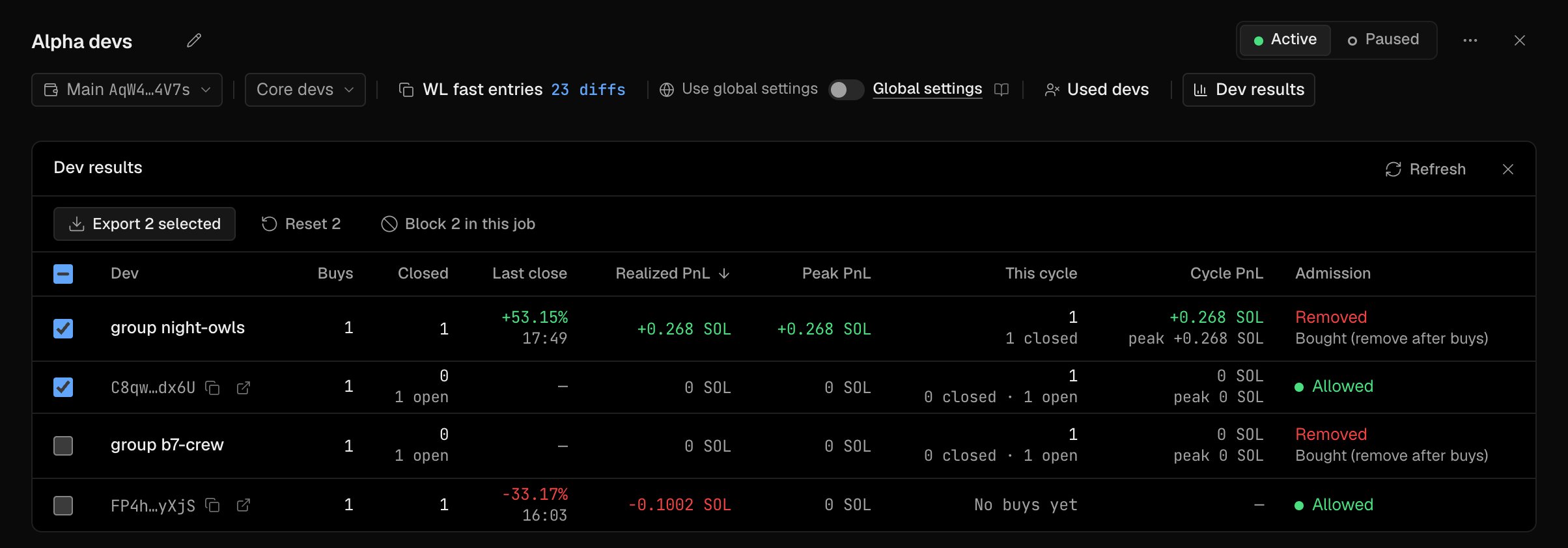
Click a column’s header to sort by it; click again to turn the order. A PnL marked ≈ was counted without a position’s
full history, so its peak may be off.
The first 1,000 devs load on their own. Load all (N loaded) reads the rest, and Refresh reads them again.
Cycles
A dev’s cycle is its buys since its last reset. Reset here starts a new one, and so do Reset buys in Used devs and a restore after a profit. In a new cycle, This cycle and Cycle PnL count from zero, while the all-time columns and the trades keep everything.Export CSV
Export CSV writes every dev of this job, reading the ones not loaded yet first; with devs checked, it reads Export N selected and writes those. The file has every column, amounts in SOL and USD, and the currency in a column of its own. If a read fails, nothing is exported: try again.Reset and Block in this job
Tick the devs first, at most 1,000 at once.- Reset (Space Admin only): “Starts a new cycle for the checked devs: their Buys per dev and this cycle’s counts start from zero. The all-time results and trades stay.” Confirm with Start new cycle. A removed dev stays removed: restore it in Used devs. Structural: applies in about 60 s.
- Block in this job (Trader or Space Admin): puts the checked devs on this job’s own list of blocked devs, “job · blocked devs”, made the first time and added to the job’s Blocked devs. Your other blocklists stay as they are. The job skips their launches in every mode, any dev included, until they are taken off the list. Their results and trades stay. It applies at once, or in about 10 s when the list is new. Confirm with Block.
Next
Limits and dev rules
The rules that remove, ban, and restore devs.
Automation
Removed and banned devs across jobs.