

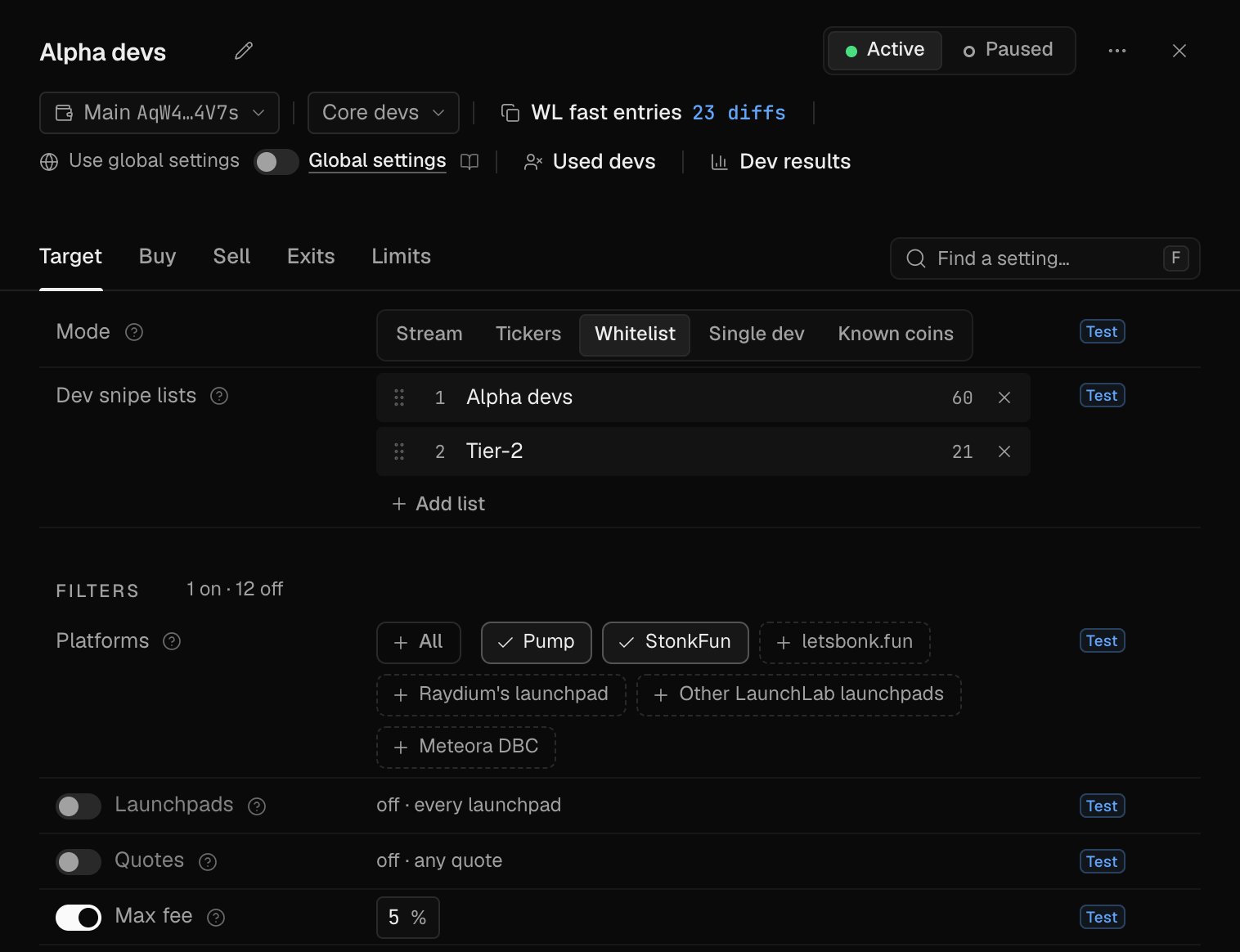
Every trading setting in the editor carries a small Test badge. Its tooltip: “We’re still testing this setting on live trading. It works; if anything looks off, tell the LaserCat team.”
Traders and Space Admins edit this tab. A Viewer sees it read-only.
Mode and its input
The Mode row picks one of five modes: Stream, Tickers, Whitelist, Single dev, Known coins. Each mode takes its own input:
Stream needs nothing more. A target that fits no mode shows as Custom; picking a mode replaces it. What each mode buys is on Job modes.
How filters work
Filters narrow every mode: a coin the target picks must still pass them. Most filters have their own switch before their label.- Off, the row says what passes, for example “off · any fee” or “off · none skipped”.
- On, the row shows its editor.
- The Filters header counts them, for example “3 on · 12 off”.
Platforms and launchpads
Platforms: “Launchpads this job watches”: Pump, StonkFun, letsbonk.fun, Raydium’s launchpad, Other LaunchLab launchpads, and Meteora DBC. Hover a platform for what it covers. Keep at least one; All ticks every platform. Changing the platforms also fixes what depends on them, and the panel says what it changed, for example “Removed the Pump dev field (platform removed)” or “Cleared ‘Wait for a lower fee’: it needs Meteora DBC”. Launchpads narrows the platforms to some launchpads, or skips some: “Buys only the launches of these launchpads, or skips them.” Paste addresses under Only these or Skip these, up to 64 each. An address is a launchpad’s config or its owner; the owner covers every config it has, new ones too, so prefer the owner. Skip beats buy. Pump launches have no launchpad: with Pump alone among the platforms, the row warns that the lists change nothing.Quotes
“The currency a launch’s pool is paired with.” Platforms and launchpads pick where a launch comes from, this filter what it is paired with: a launch must pass all three.- Quotes to buy: SOL, USDC, USDT, USD1, or any other quote added by its mint. The picker reads, for example, Only USDC; empty, Any quote. SOL coins are quoted in WSOL.
- Quotes to skip: quotes never bought, even when the other list allows them. The picker reads, for example, Skip USDT; empty, Skip none.
Key filters
A ticker is the coin’s symbol, a name its full name. Each ticker list’s Match field says which one it compares: Name, Ticker, or Both. Lists of the same field are alternatives, one match is enough; with lists of different fields, a coin must match each field. See Lists.
Every filter and its options are in the Target tab reference.
Pump filters
Pump’s own filters act on Pump launches alone. They sit at the end of the filters, grouped under Pump.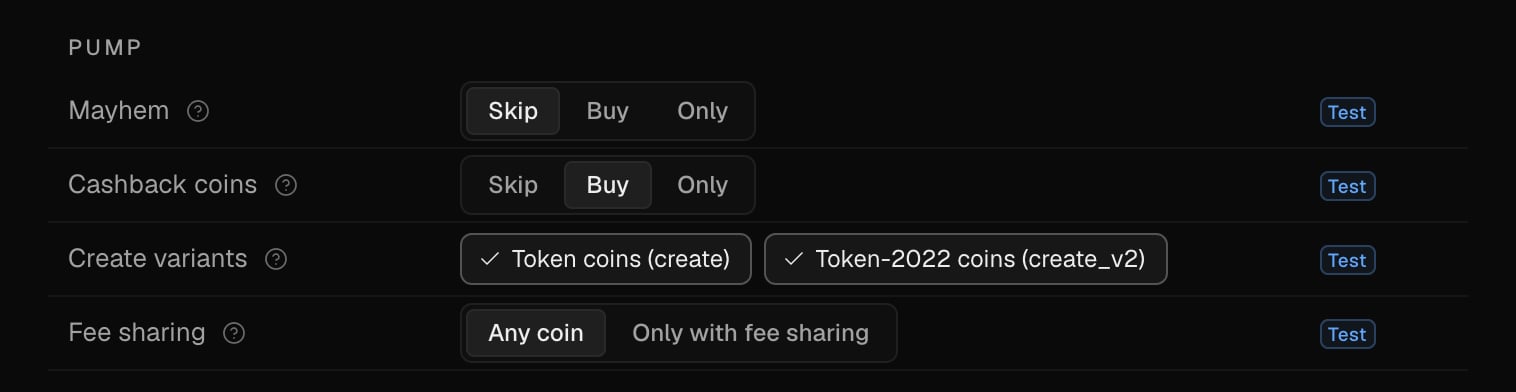
- While the job trades Pump, the group is open.
- Otherwise it is marked ”· not traded by this job” and folds behind Show. While one of its filters is on, changed, or in error, the group stays open: no Show button, only the mark. With a filter on, the header adds ”· its filters have no effect”.
Dev identity
A create has several identities: its deployer, the creator it names, and its co-signer. Dev identity says which one is the dev.
- Dev field, per platform the job trades: The deployer, The creator, The co-signer, or Any of the three. The panel shows The deployer until you change it. It is structural: dev keys, tickets, and caps follow it, so a change applies in about 60 s.
- Unsigned creators, for jobs whose target names devs, such as Whitelist and Single dev. Off: “a creator counts only if they signed”. On, Count as signed: “a create that names a listed dev as its creator is the dev’s even unsigned, an impostor’s too. Only for a launchpad that launches for people who do not sign.” It matters only where a platform’s dev field is The creator or Any of the three.
Next
Buy settings
Amounts, funding, slippage, and fees.
Target tab reference
Every Target row and its options.