

Trader or Space Admin. A Viewer sees the buttons disabled: “Needs the Trader or Space Admin role”. An archived job takes no commands.
The three commands
Which one to use
Resume buying in the top bar clears no halt. Pausing a halted job and switching it back to Active does not clear the halt either.
Send a command
1
Open the job
The job’s page shows a callout for the halt, the limit, or the Snipe LP round, with its command buttons. A halt’s callout shows in any state but Archived; a limit’s shows only while the job is Active. In the Classic layout, the job’s row and page name the halt or the limit, and the callouts are in its editor: press Edit.
2
Press the command
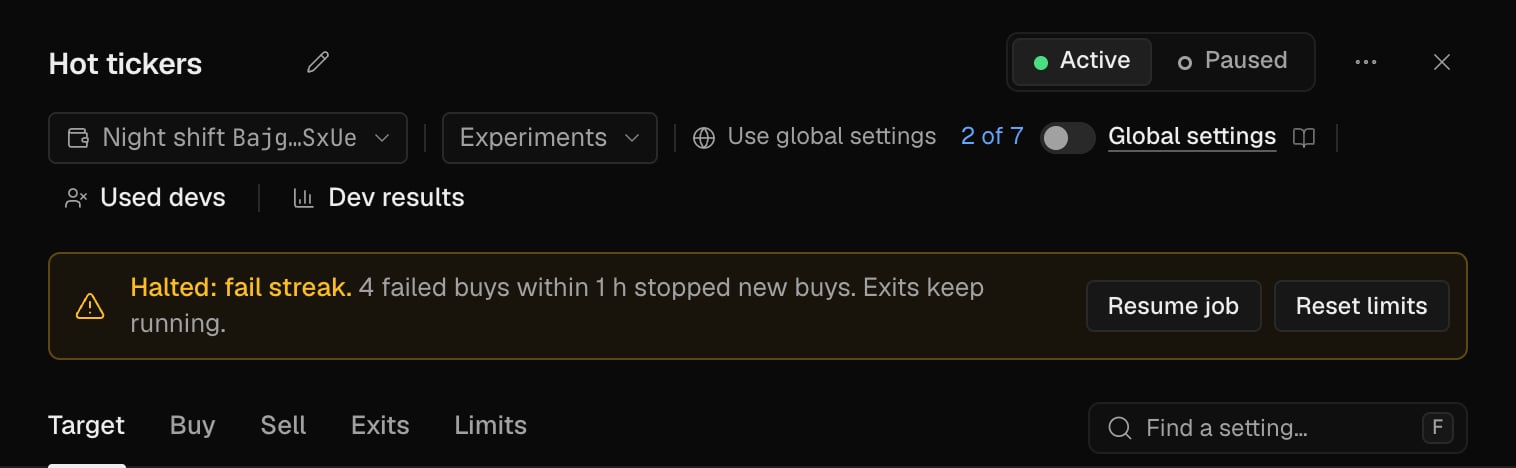
3
Confirm
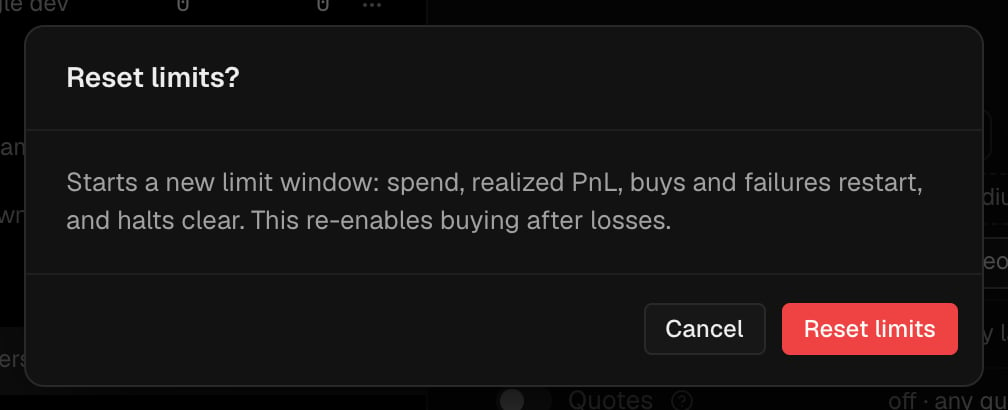
The dialog repeats what the command does: Resume job?, Reset limits?, or Re-arm this Snipe LP job?. Confirm with the command’s button.
4
Watch it apply
A message says, for example, “Reset limits sent · Alpha devs”, and the Saves tray follows the command until it applies. See Saving changes.
Snipe LP rounds
A Snipe LP job buys once per round. While it waits for its buy, its page shows Armed.; once it has bought, Bought this round. Re-arm starts the next round and lets it buy once more, in about 60 s. See Job states.On the Automation page
Space Admin only.
Next
Limits and dev rules
What halts a job and what limits it.
Automation
Halts, limits, and removed devs across jobs.