

Filter the feed
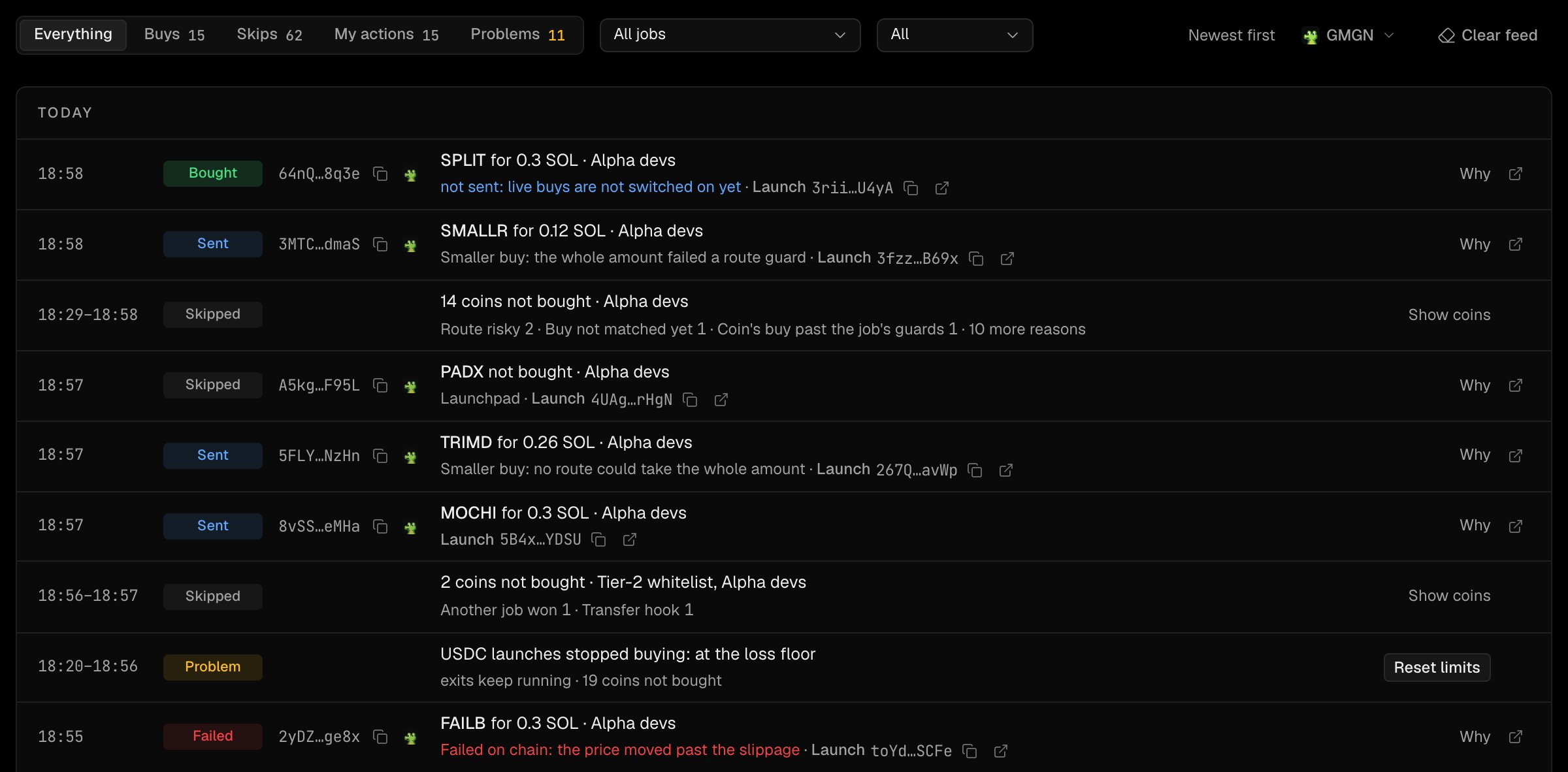
At the top of the feed:- Chips pick what the feed lists: Everything, Buys, Skips, My actions or Problems. All but Everything carry a count; 30+ means older pages are not read yet.
- The job list beside them narrows the feed to one job, or shows All jobs. Once the account has copy jobs, Trades picks All, Snipes (snipes, Snipe LP and manual buys) or Copies.
- At the end of the bar, the terminal picker (GMGN, Padre or Axiom) sets where coins open, and Clear feed hides what happened so far (below).
Load more reads further back.
The lines
The coin and the event
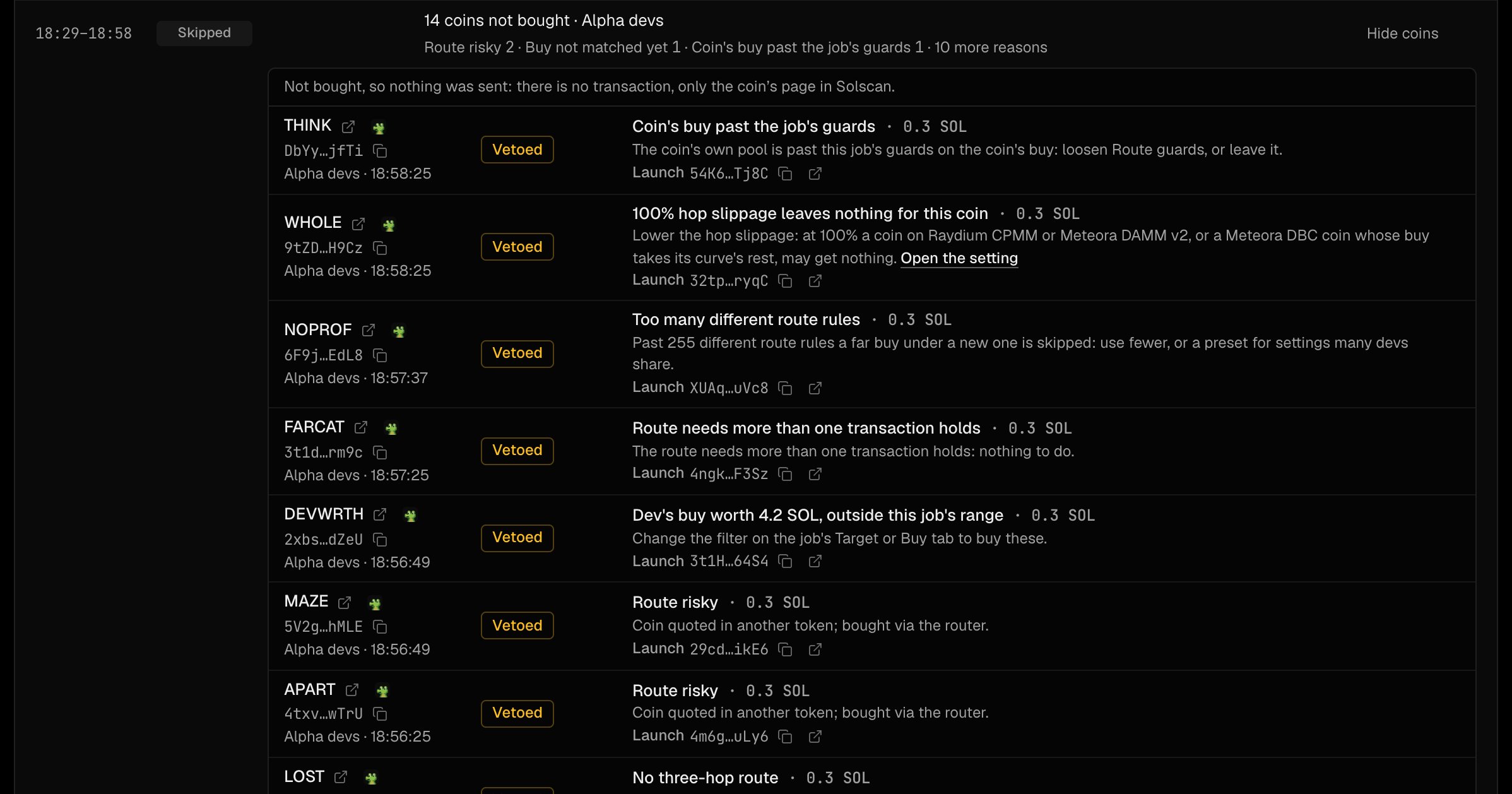
Every line that names a coin shows its contract address, CA, in short: copy the whole address, or open the coin in your terminal. An opened line shows the whole CA over its coins. The terminal is yours, in this browser: pick it in the bar or in Settings → Interface. A wallet always opens on GMGN. A line also names the event its decision was made on: Launch (the dev’s create of the coin), Migration (a migration entry; its transaction is the coin’s launch), Target’s trade (a copy job’s) or Liquidity added (a Snipe LP job’s), with the transaction’s short signature to copy or open in Solscan. The coins a line opens to show the event once, with its time and whole signature. A copy job’s line also names the target’s trade, such as Target bought. A skipped or vetoed coin was never bought, so it has no transaction: its Solscan link opens the coin’s page.Problems
A Problem line names the job and what stopped it, for example a job that stopped buying after 4 failed buys within 1 h, then whether exits keep running and how many coins were not bought. Its button is the fix: Resume job, Reset limits, or a link to the Job, its Positions, Wallets or Stops. Problems include halts and limits, Settings not confirmed (the job buys nothing with them: save the job, its preset or its list again), and the wallet’s setup or funds. For a Viewer, Resume job and Reset limits are disabled: “Your role (viewer) cannot do this”.Why it didn’t buy
Open a skipped or vetoed line with Why, or Show coins for a folded one. Each coin shows, for each job, the outcome, the reason’s title and a hint of what to do.
Many reasons have a hint of their own, such as The job is paused: set it to Active. or Buying is stopped for this
scope: resume it in the stops list in the top bar. The others show the hint of their group. The feed shows the hint alone, not the
group’s name:
The full list of reasons, copy jobs’ among them: Decision reasons.
What is recorded
The feed says it under the lines:Decisions are kept 7 days. An any-dev job records its buys, vetoes and expiries, never its skips: a launch with no decision was not matched here.Skips are recorded for the devs and coins a job targets. When you pick an any-dev job in the job list, the note names it.
My actions
My actions lists every command of the owner: sells, closes, exits edits, stops and resumes, Resume job, Reset limits and Re-arm, dev restores and buy resets, and Wrap SOL, Unwrap WSOL and Withdraw. Each line says the command in words and its result, for example Manual sell 50% of WIF with what it sold. A stop reads in force, or lifted since once a later resume replaced it. A command by someone else reads by another member. A rejected, failed or not carried out command is a Problem too. Click a line to open what came of the command: its scope, parameters, when it was sent and its result. If it was not carried out and you still need it, send it again as a new command.Clear the feed
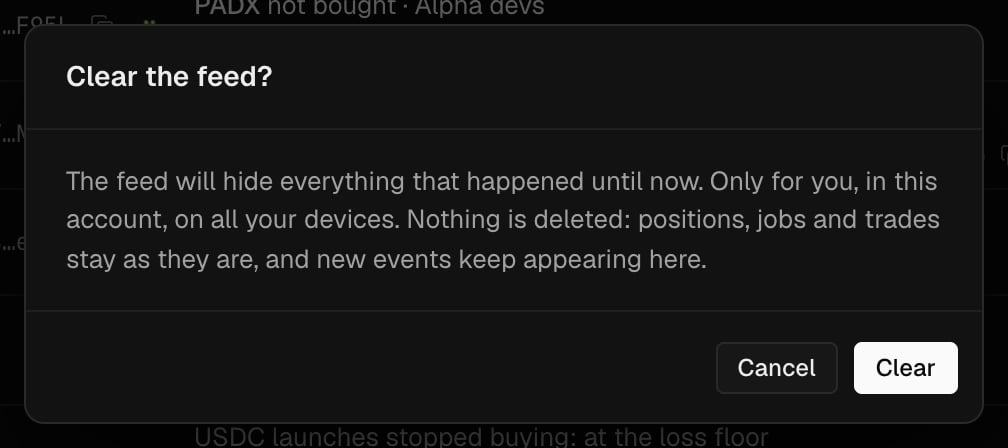
Clear feed hides everything that happened until now. Nothing is deleted: positions, jobs and trades stay as they are, and new events keep appearing. Any role can clear, a Viewer too: it changes only your own view.1
Press Clear feed
At the end of the feed’s bar (on a phone, its icon).
2
Confirm
Clear the feed? says what it does: the feed hides everything that happened until now, only for you, in this
account, on all your devices. Press Clear.
Next
Decision reasons
Every reason a job did not buy, with what to do.
Automation
Halts, limits and dev states, for Space Admins.
Positions
What each bought position holds and realized.
Job states
Active, Paused and Archived.