

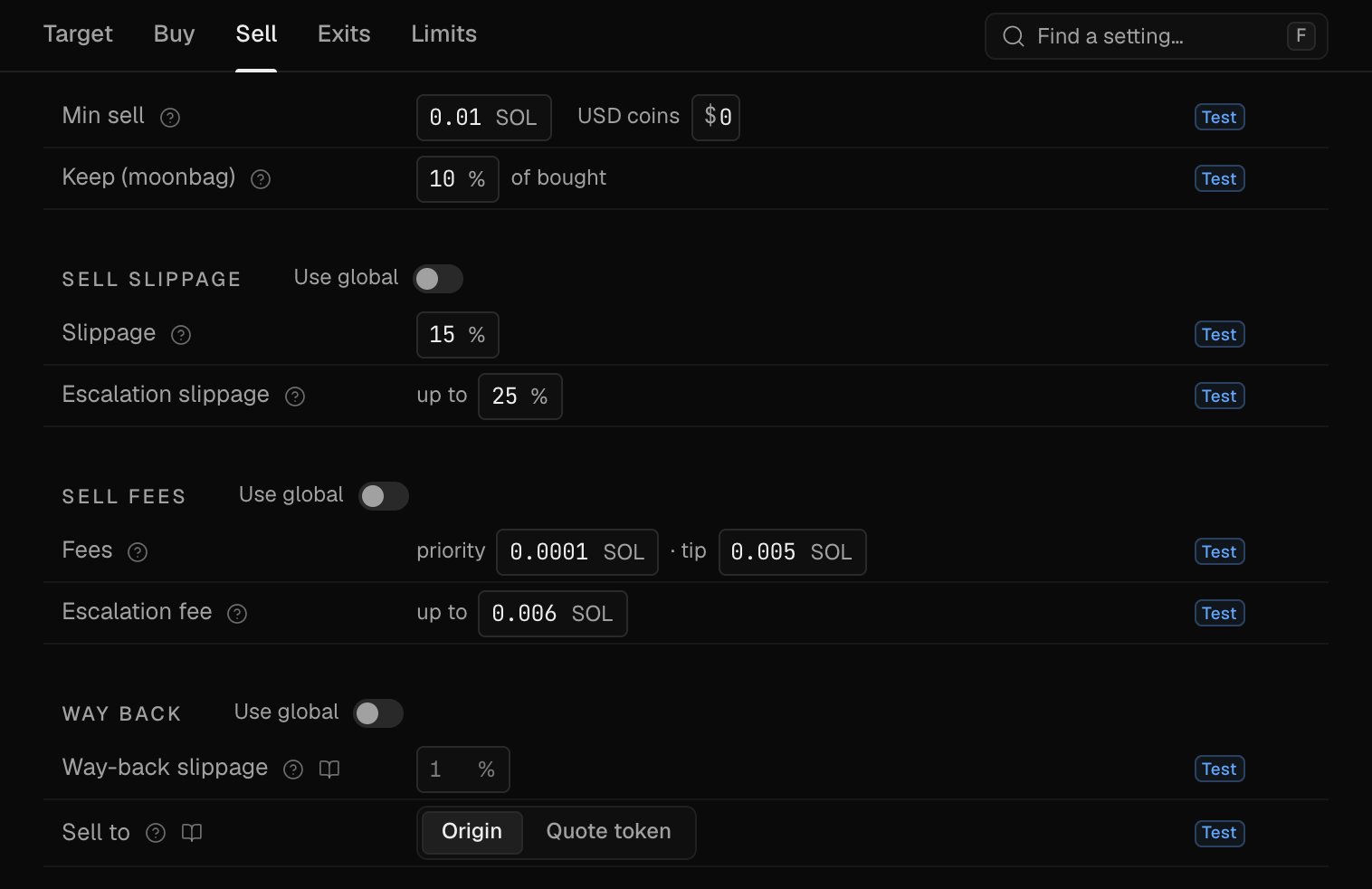
Every trading setting on this tab carries a Test badge: “We’re still testing this setting on live trading. It works; if anything looks off, tell the LaserCat team.”
Traders and Space Admins edit this tab. A Viewer sees it read-only.
The rows
A slippage of 100% warns: “At 100% a sale goes at any price: at least one raw unit of the quote and one lamport back.”
The take-profit ladder on the Exits tab counts the moonbag: its footer reads, for example, “Sells 75% of the amount bought · keeps 10%”, and with too little room left, “the last rungs sell less: the moonbag is never sold”. A share set to sell of what remains sells only what the position holds above the moonbag: see Exits.
Way back
Snipe jobs and copy jobs. A coin of a custom quote, or a USD coin bought with SOL, first sells for its quote; then the way-back hops bring the quote back to SOL or USDC.
With Origin, a sale with no one-transaction route back, or one held about a minute for the router, ends in the quote, kept in this wallet. With Quote token, the row warns: “The quote token stays in this wallet until you move it: no command sells or sweeps it for you.”
In detail, with examples: Slippage.
Retries
A sell can fail on chain. A failed stop-loss, trailing, or liquidity-loss sell retries with more slippage and a higher fee; Escalation slippage and Escalation fee set how far they may go. Other sells don’t raise them, and a retry never widens the way-back slippage.
When both bounds equal the base slippage and fee, the row says ”· no escalation: the bounds equal the base values”: a retry gets no more slippage and no higher fee.
With global settings
Once your owner has Global settings, the tab groups its rows by what they may follow: Min sell and Keep (moonbag) first, then Sell slippage (the slippage and the escalation slippage), Sell fees (the fees and the escalation fee), and Way back. Each group has its own Use global switch.When a change applies
A position keeps the settings it was bought with. To change an open position’s exits, edit them on the position; see Positions. For sells you start yourself (Sell, Sell initials, Close), see Selling and closing. Every row and its options are in the Sell tab reference.Next
Exits
Auto-sell, take-profit, stop-loss, and the rules.
Selling and closing
Sell a position yourself.