

Where statuses show
- A tag beside the list’s name, in the left pane (short form) and in the list’s header. Hover it for its reason.
- The revision line in the header: “rev 44 · live”, “publishing”, “rejected”, “blocked”, “live (reverted)”, or a countdown such as “live in 6 s”.
- In the Classic layout, the table’s Status column: the tag, or Live.
- For a list that needs you (Blocked, Rejected, Rejected → reverted): a red dot on its Settings tab and a count on Lists in the sidebar.
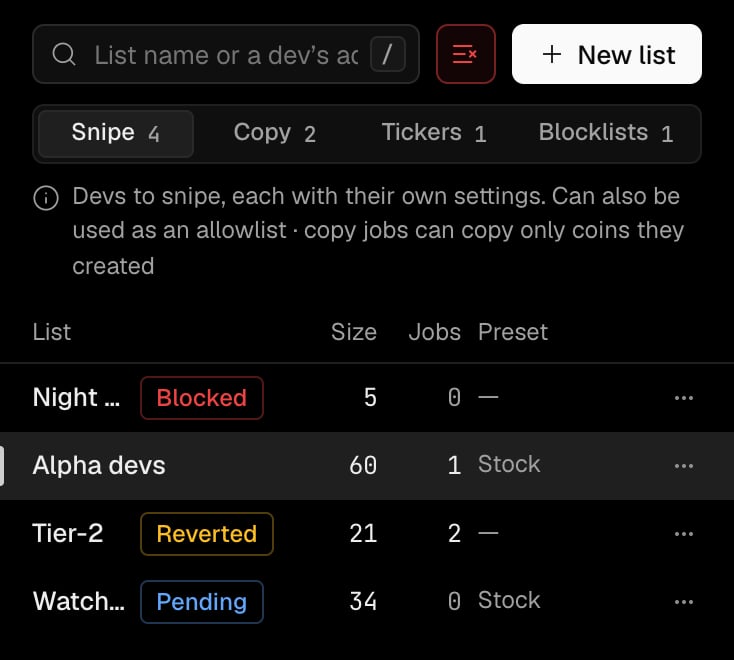
What each status means
Rejected and reverted
While a revision is rejected and not yet reverted, the Settings tab says “Revision 45 rejected:” with its reason, or “no reason was given.” Once it is reverted, the Settings tab explains it, such as “Revision 45 rejected: … — its entries were reverted; rev 46 is live. Fix the lines and submit again; the same lines would be rejected again.” Entries takes you to the entries. Dismiss hides the tag in this browser until another revision is rejected. The revert shows in Recent bulk operations as Repair.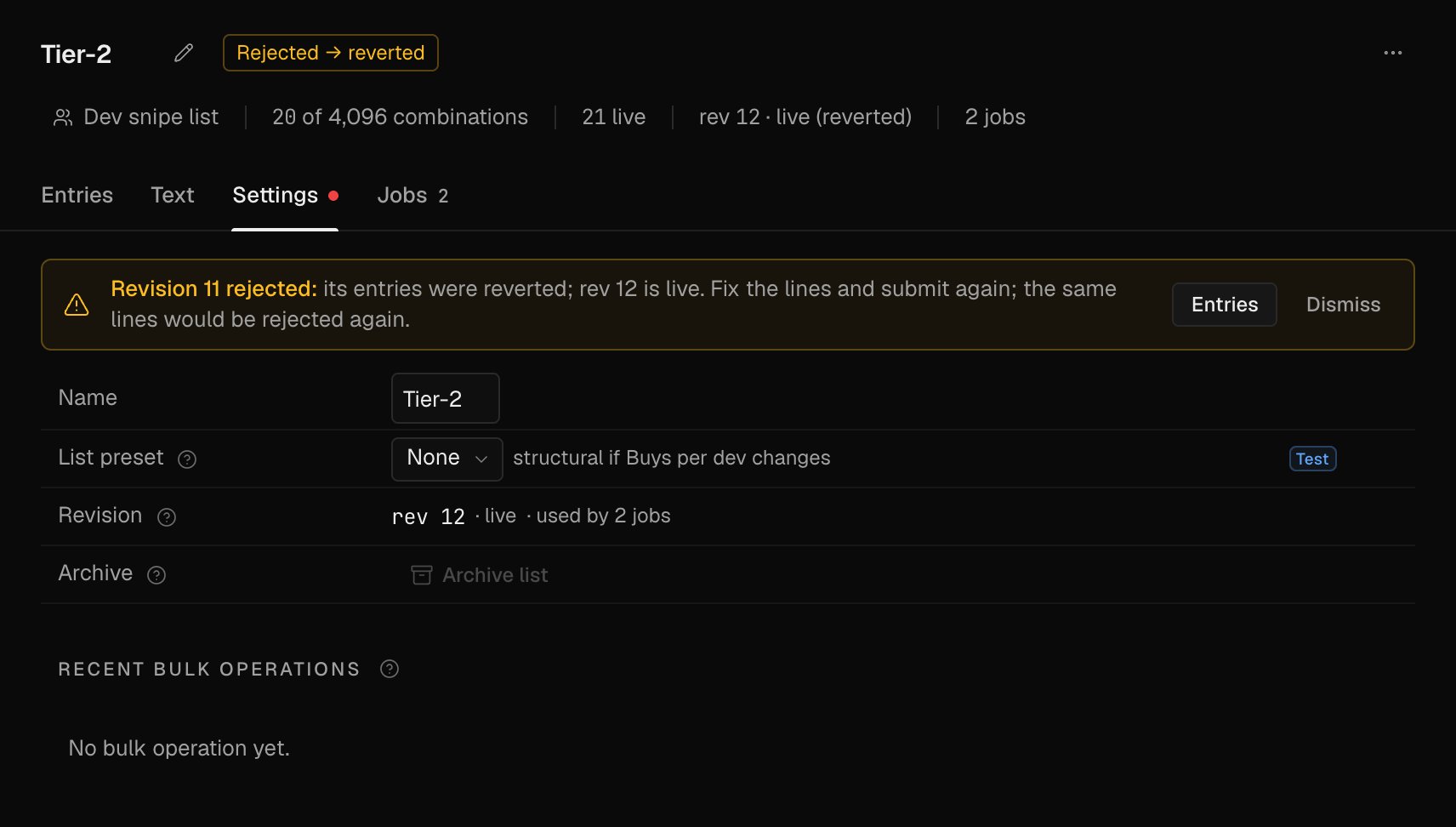
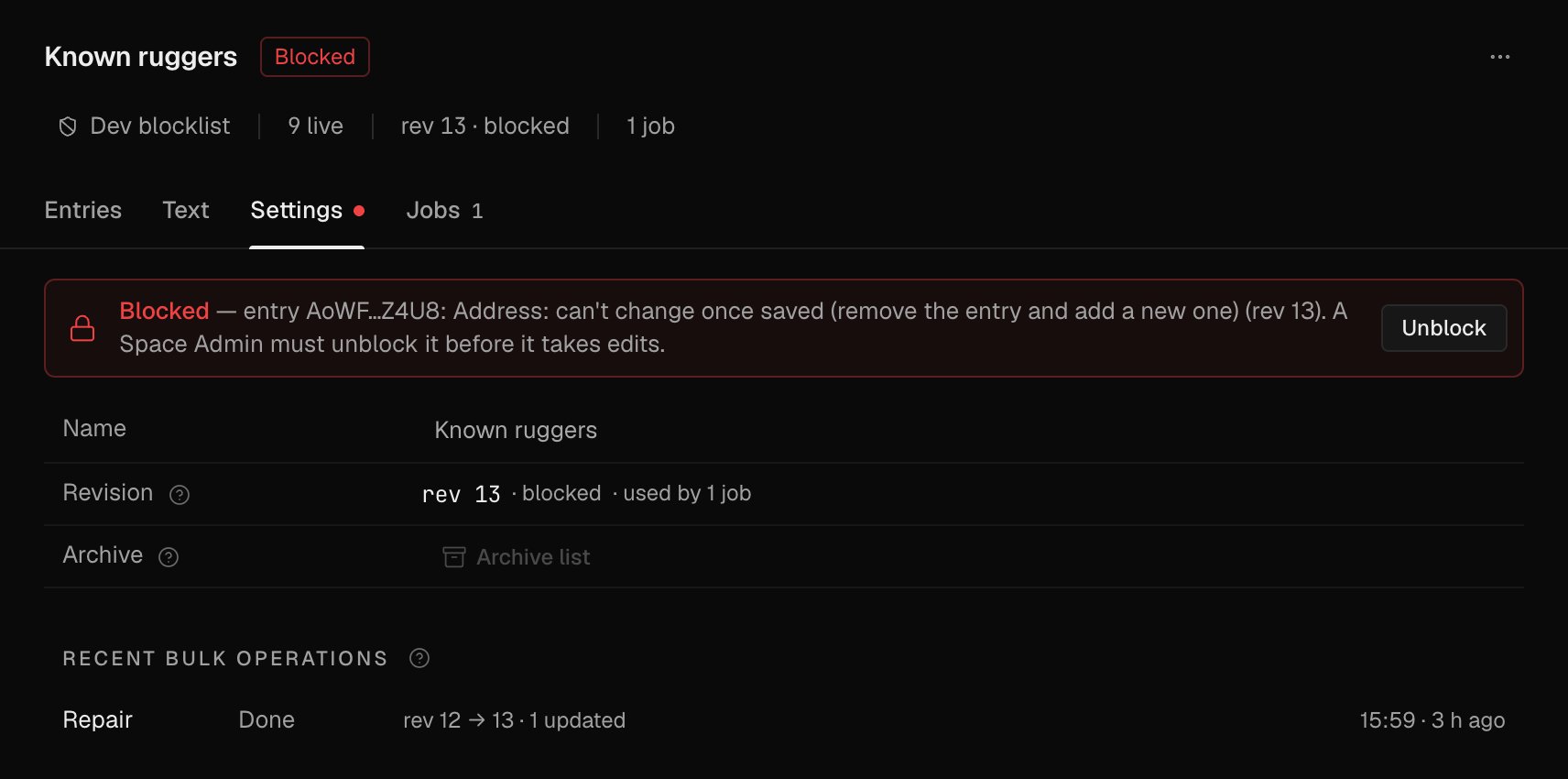
Blocked
Only a Space Admin unblocks a list.
Recount size
Space Admin only.
Next
Saving changes
How every save applies, and what a rejection does.
Import and export
The line formats, and Replace list.