

Two kinds of jobs
New snipe job offers the five snipe modes under Target mode. New Snipe LP jobs can’t be made for now: the dialog has no Snipe LP choice, and the Snipe LP jobs you have keep running and stay editable. The jobs list filters by both: Any kind and Any mode.
Snipe modes
The help of the Mode row sums it up: “Who this job buys: every launch, listed tickers, your dev snipe lists, one dev, or known mints.” A job runs one mode at a time.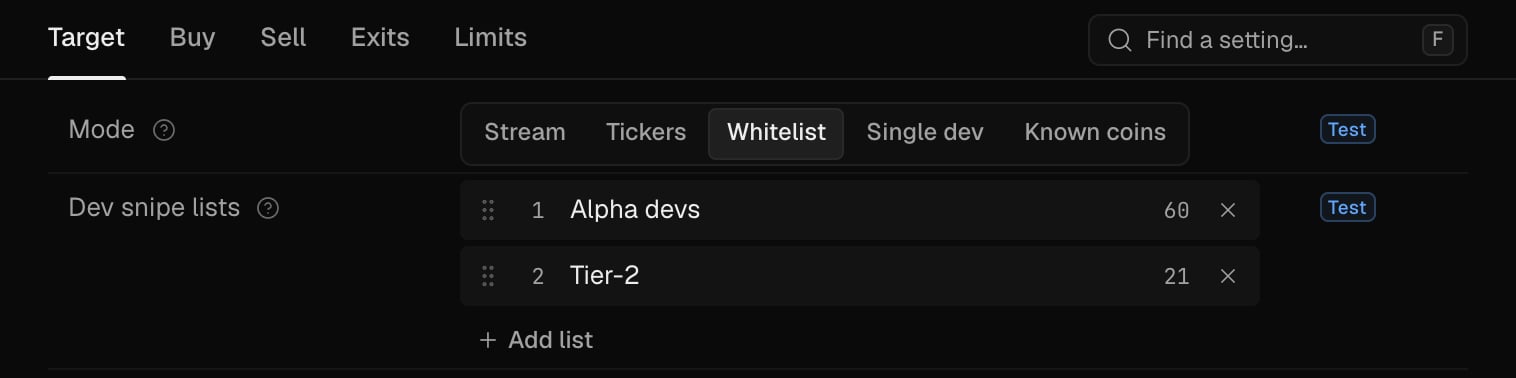
In every mode, a launch must still pass the job’s filters: platforms, quotes, the Ticker/name blacklist, Blocked devs, and the rest. See Target and filters.
Stream and Tickers
Stream is available on request. Without it, Stream is locked in New snipe job and the editor, and a job can’t be changed into one that buys any coin. Stream jobs you have keep running and stay editable. A Tickers job buys what its Ticker/name whitelist lets in: the mode row says “Buys the coins the Ticker/name whitelist below lets in”, and the whitelist sits among the filters, its switch kept on while the mode is Tickers. A ticker is the coin’s symbol, a name its full name; each ticker list’s Match field says which it compares. See Lists. Both match any dev. Two things never apply to an any-dev match:- the dev rules on the Limits tab: such devs are never removed, banned, or restored;
- migration buys on the Buy tab.
Whitelist
Pick one or more dev snipe lists in Dev snipe lists. Order matters: the first list that holds a dev decides its settings and dev group, so a new order can be a structural change (about 60 s). Drag a list, or press Alt+↑ / Alt+↓, to move it. Add all adds every dev snipe list there is now, in its order. A list you make later is not added by itself. A list and each of its entries can carry a preset that layers settings over the job’s. See Lists and Presets.Single dev
Paste the address in Dev address: “The one dev this job buys.”Known coins
Paste one or more mints in Coins and press Enter, up to 64. The panel’s help: “Mints bought as soon as they launch, a vanity address announced before the coin exists among them.” Named coins get no dev rules. A Known coins job’s Exact mints filter only skips: “The coins it buys are in Coins above: here, only the ones to skip.”Custom
A target that combines these, for example dev snipe lists and coins together, fits none of the five modes. The job shows it as Custom with a short summary, such as “Custom target: 2 dev snipe lists · 1 coin”. It is valid as it is; picking a mode replaces it. A custom target that takes any dev keeps its Ticker/name whitelist switched on, since without it the job buys every coin. Pick a mode to change that.Snipe LP
A Snipe LP job buys a pool. Its Target tab has its own rows: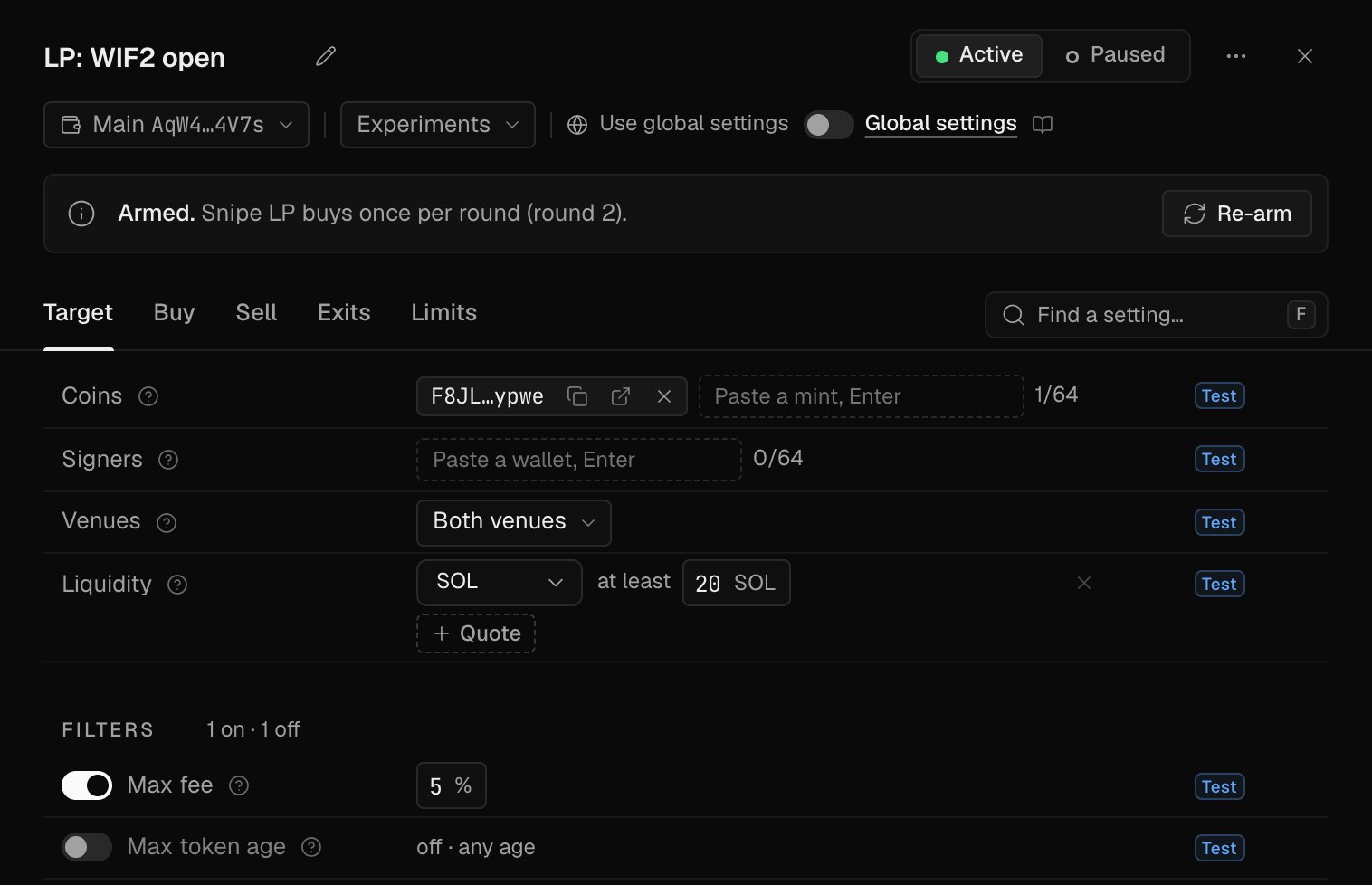
Name a coin, a signer, or both. With a coin named, Min tokens on the Buy tab is required: whoever opens the pool sets its price, so the least the buy takes caps what a token costs.
Its filters narrow it. Max fee skips a pool whose buy would pay more than this in fees. Max token age sets the oldest a coin may be; with it set, only coins launched on Pump, a LaunchLab launchpad, or Meteora DBC in the last 6 hours have an age, and every other coin is skipped. Risky coins, Skip or Buy, decides whether pools of coins with a freeze authority are bought: see Target and filters.
A Snipe LP job buys once per round. After its buy, Re-arm starts a new round. See Job states and Job commands.
A Snipe LP job has no template and no link to one. Check its amount on the Buy tab and that Auto-sell is on before it trades. Its Limits tab has no dev rules.
Next
Create a job
Pick a mode, a wallet, and a template.
Target and filters
Narrow any mode by platform, quote, ticker, dev, or mint.