

The save bar
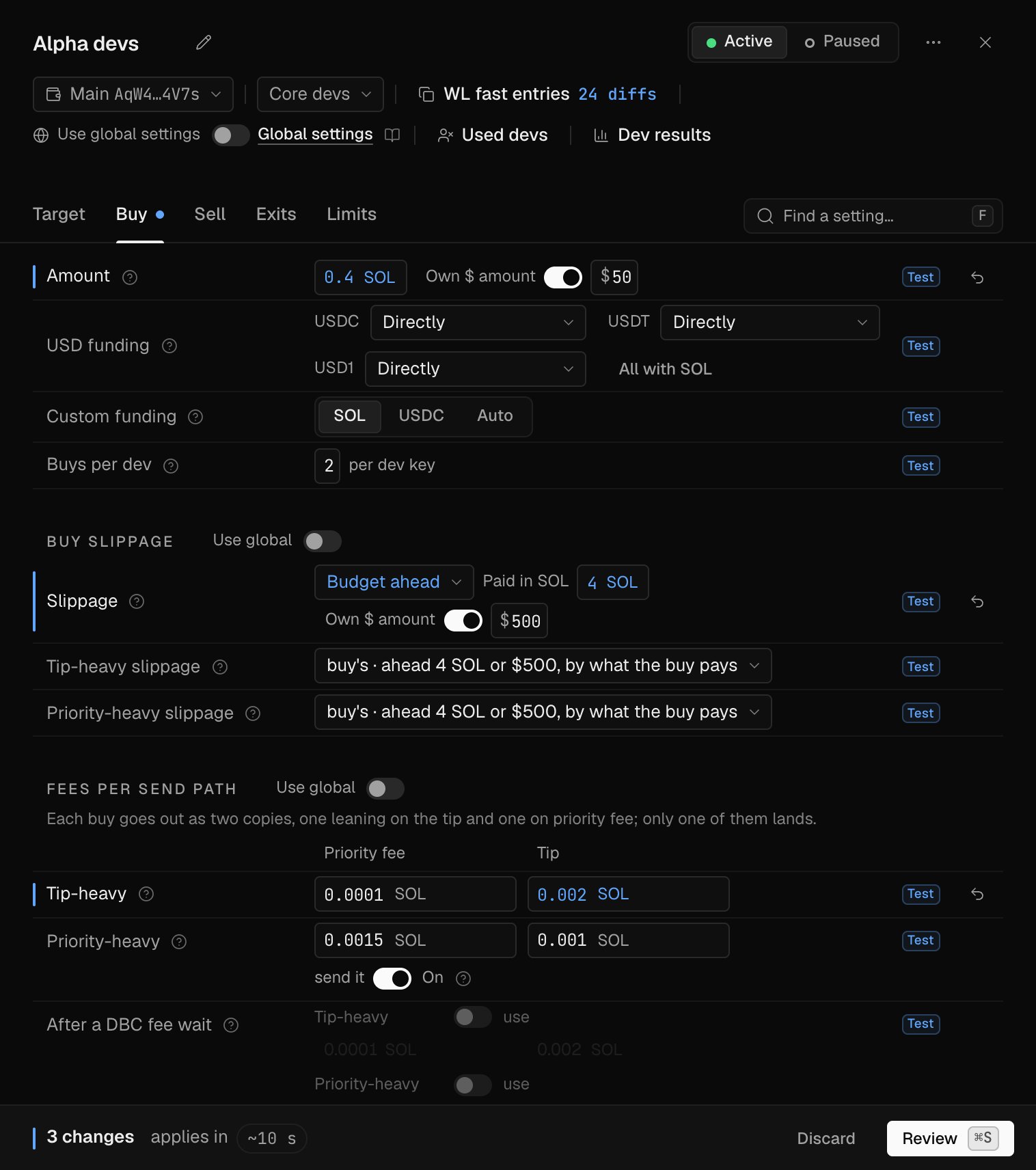
- how many changes you made, for example 3 changes;
- applies in and a badge: ~60 s, ~10 s, or at once (a structural save also says structural);
- Discard, which drops every unsaved change;
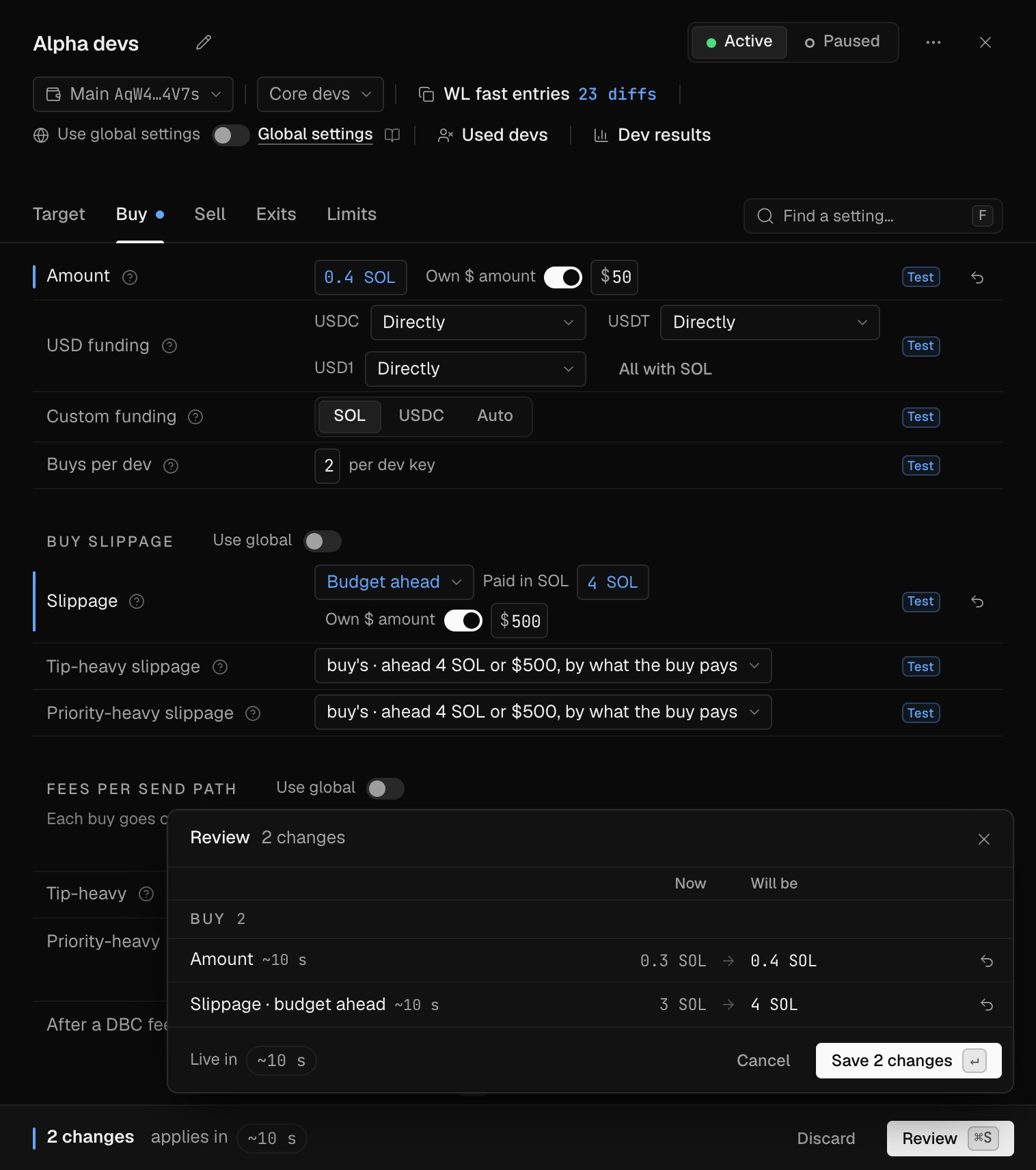
- Review (⌘S), which lists your changes before you save.
Review and save
When a change applies
Turning something off (pause, stop, revoke) applies at once; turning it back on takes about 10 s. A save with several changes takes the slowest badge among them. Hover a badge for its meaning.
Follow a save in the Saves tray
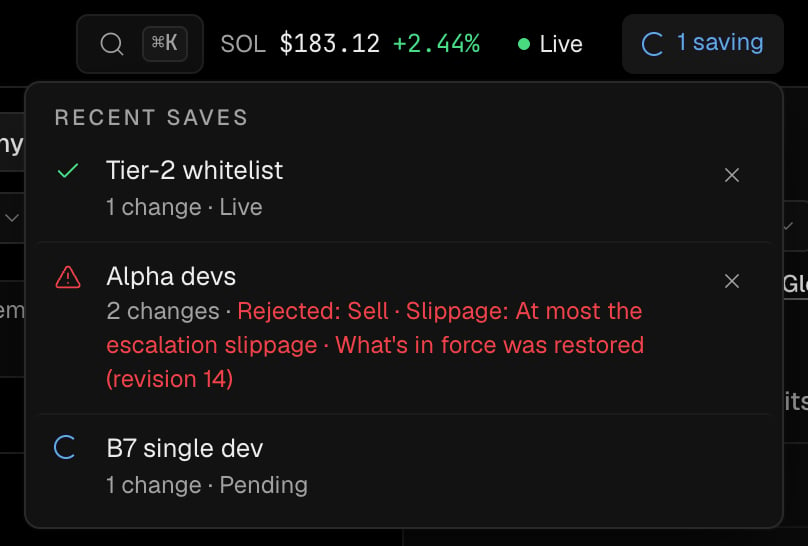
A live save leaves the list after about 30 s, and × dismisses a line. Opening the tray marks rejected saves as seen.
If the engine rejects a save
If the engine rejects a save, LaserCat puts back what was in force within seconds. The editor keeps your edit as an unsaved draft, so you can fix it and save again.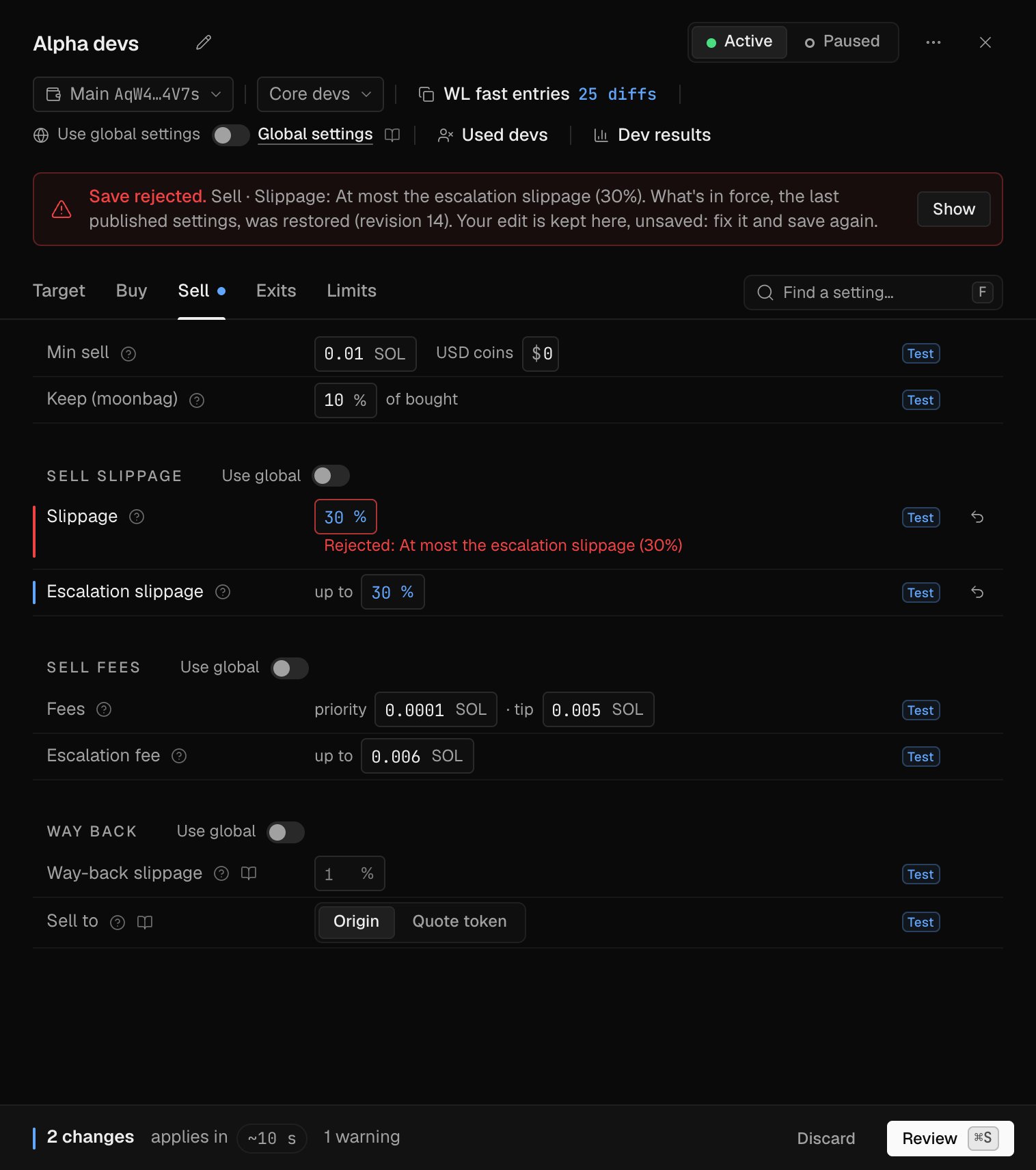
- The job shows Save rejected., the reason, and “What’s in force, the last published settings, was restored (revision N). Your edit is kept here, unsaved: fix it and save again.” Show jumps to the setting.
- The refused setting reads Rejected: and the rule, and the save bar flags Rejected · with the setting’s name.
- Traders and Space Admins get an Edit rejected notice in Telegram.
If someone else saved meanwhile
When another member saves the same job while you edit it, your edits move onto their version by themselves if you changed different settings. If you both changed the same setting, the job shows “Someone changed this job (rev N).” and how many changes are yours and theirs:- Reload takes their version and drops yours.
- Reapply my changes lays your changes over theirs.
Unsaved edits
Unsaved edits stay when you open another page or item, and they come back when you return; the row keeps its dot. On Snipe jobs, Copy jobs, and Job templates, opening another item asks first: Discard unsaved changes?, with Discard changes and Keep editing. Unsaved edits live in this tab only, so the browser asks before you reload or close it.Next
Job states
Active, Paused, and how long each switch takes.
Key concepts
The words the panel uses.