

What each role can do
A Trader who creates a job lands on it, Paused, and switches it on from the job’s page.
In Telegram
The bot acts as the person who pressed a button, at most as a Trader: a Space Admin is a Trader there. From a position card you can sell and close. The bot never buys, and all configuration happens in the panel. LaserCat in Telegram acts as you the same way, at most as a Trader. See Telegram bot and LaserCat in Telegram.How the panel shows your role
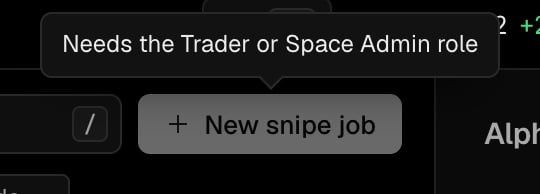
The panel disables what your role can’t do and says why. A disabled button stays where it is; hover it (on a phone, tap it) to read the reason. For example:- New snipe job for a Viewer: “Needs the Trader or Space Admin role”.
- Stop buying for a Viewer: “Viewers cannot stop or resume trading.”
- Add wallet for a Viewer: “Viewers can’t add wallets.”
- Treasury list… for a Trader: “Only a Space Admin signs a treasury list.”
- Moving funds for a Trader: “Only Space Admins move funds.”
- Recount size of a list for a Trader: “Space Admins only”.
- Restore in a job’s Used devs for a Trader: “Needs the Space Admin role”.
- A position’s sell buttons for a Viewer: “Your role (viewer) cannot send commands”.
Add people or change a role
The panel has no screen for adding members or changing roles. Write to the LaserCat team (the Telegram link at the bottom of this page) to add a person to your owner or to change someone’s role.Leave an owner
When you belong to several owners, you can leave one, whatever your role: Settings → Owner → Leave this owner…. A Space Admin can leave only while another Space Admin remains. You lose access to the owner’s wallets, jobs, and positions. To come back, write to the LaserCat team. See Owner settings.Next
Owner settings
Your owner’s limits, and switching owners.
Telegram bot
What the bot does for each role.