

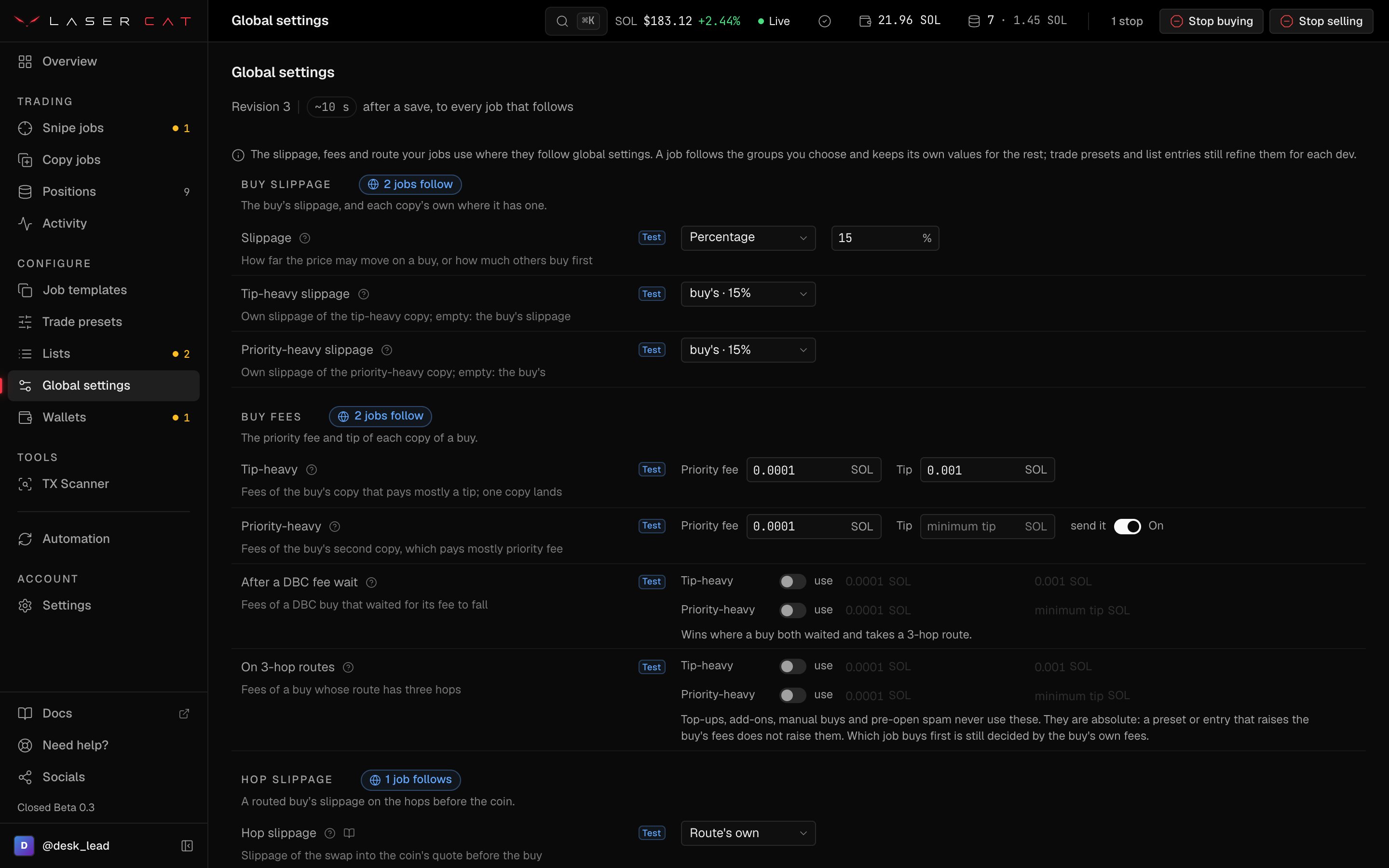
The groups
The Buy fees block also holds After a DBC fee wait and On 3-hop routes: the fees a buy pays after waiting
for a Meteora DBC coin’s fee to fall, and on a route of three hops. Here After a DBC fee wait is never greyed: it
applies to every following snipe job that waits for a lower fee. What they do: Buy settings.
Beside each group, a chip says how many jobs follow it; point at it to see their names. A Snipe LP job follows four of
them (it has no route); a copy job takes none.
What each setting of these groups does, its default, and what empty, 0, and Off mean are in Routes and slippage:
Slippage and Route guards.
Start
Trader or Space Admin to create or change them. A Viewer reads them.
Save
Change a value and save. The review lists your changes by group, then Jobs that change: every following job and what changes for it. “Open positions keep what they bought with.” A save applies to every job that follows in about 10 s. If a following job would break a rule with the new values, the review says The engine would refuse this edit and names the jobs, and the save waits: change the settings, or stop those jobs following the group first. If someone else saved meanwhile, the page says Changed elsewhere (revision N): Reload takes their values, Reapply mine lays yours over them.Follow from a job
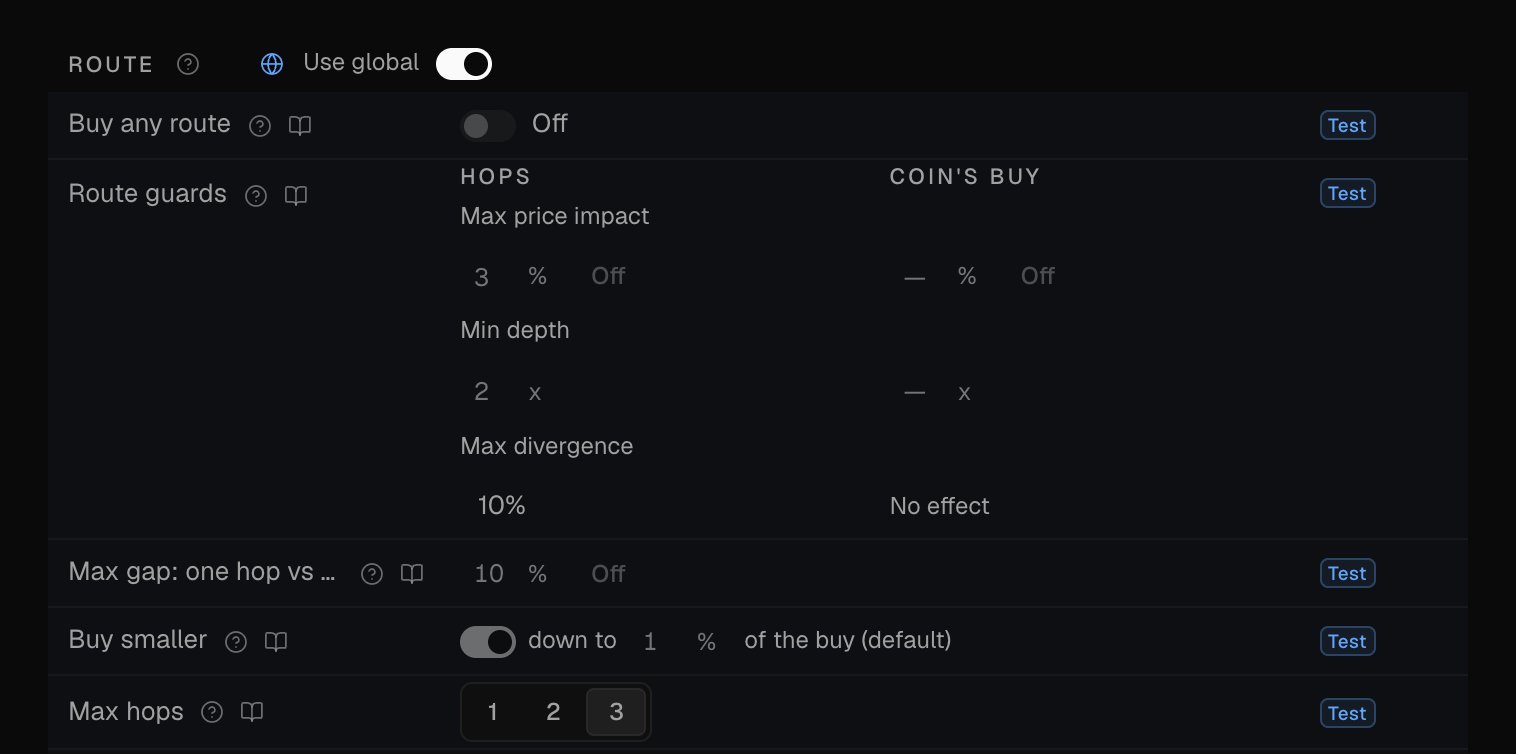
In a job’s (or a template’s) editor, each of these groups has a Use global switch, and Use global settings switches all of them at once.- On: the group’s rows show the global values in quiet text, read-only. The Global mark by the switch opens the Global settings page. The job’s own values are kept for when it is off.
- Off: the job writes the global values into its own, or keeps its old ones with Keep my values.
Global settings, presets, and entries
Global settings replace a job’s own values, not its presets. For each dev the value is built layer by layer: global (where the job follows the group) → job → list preset → entry preset → entry, and each later layer that sets it wins. An example and the details: How a buy goes.Next
Buy
The buy’s amount, slippage and fees, one job at a time.
Presets
Settings that lists and entries lay over a job for chosen devs.